
Team and envelope logs
Team logs and envelope logs give you an audit trail of what happens in your team and on your envelopes. You can view and filter them directly in the Subnoto app.
Where to find them
In the app, go to Settings, then under Activity open Team logs or Envelope logs. You need to be a team admin to see and use these pages.
Team logs
Team logs record team-level actions: member invites and changes, API key and webhook creation or updates, and SSO configuration changes. Use them to see who did what and when.
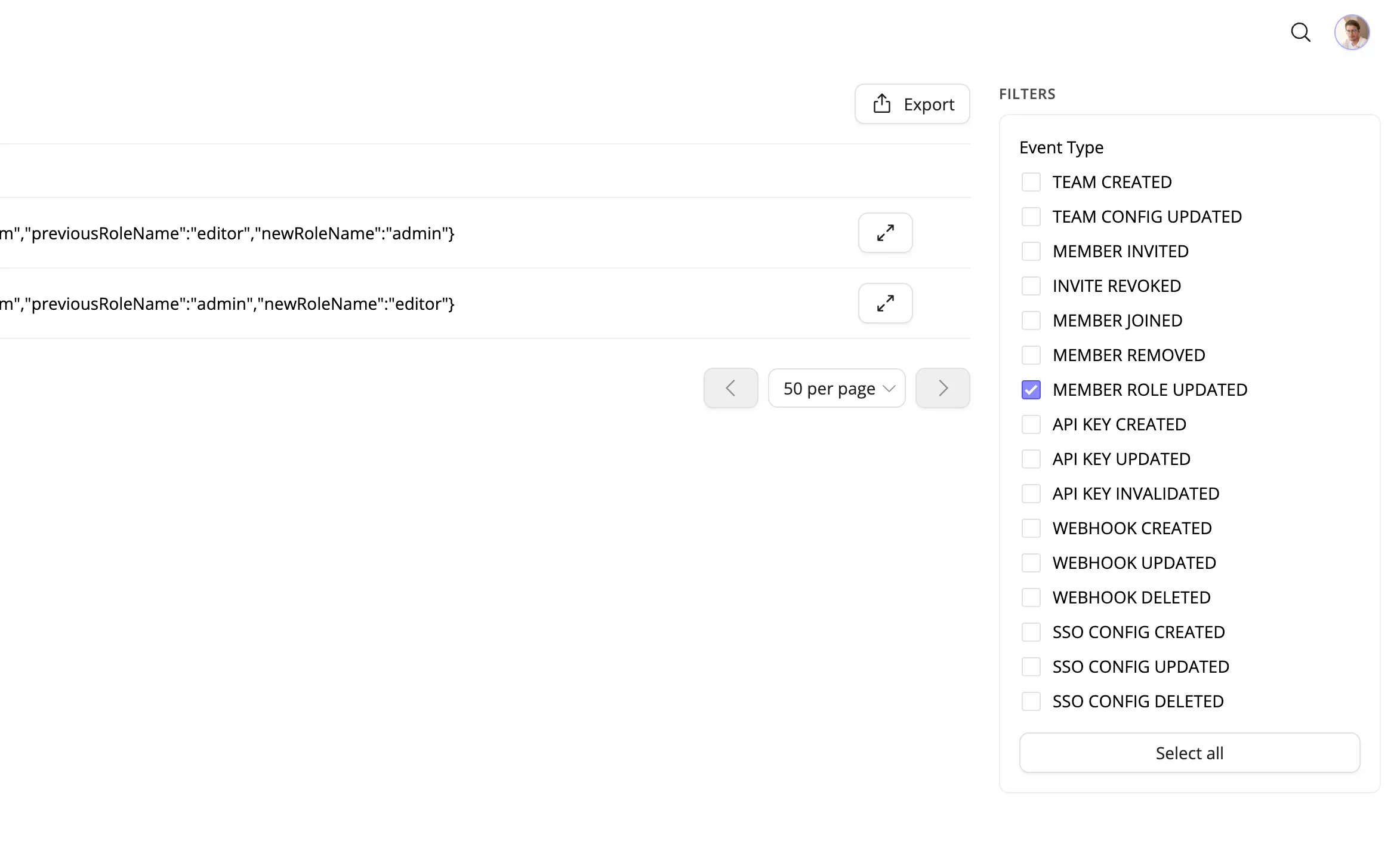
You can filter results using the sidebar: choose one or more Event types to restrict the list. The table shows Date & Time, Event Type, Author, and Details. Expand a row to see the full event data as JSON. From the table toolbar you can export the current view to JSON or CSV.
Envelope logs
Envelope logs record the lifecycle of envelopes: creation, sending, opening, signing, completion, decline, or cancellation. Use them to trace what happened to a specific envelope or to audit activity in a workspace.
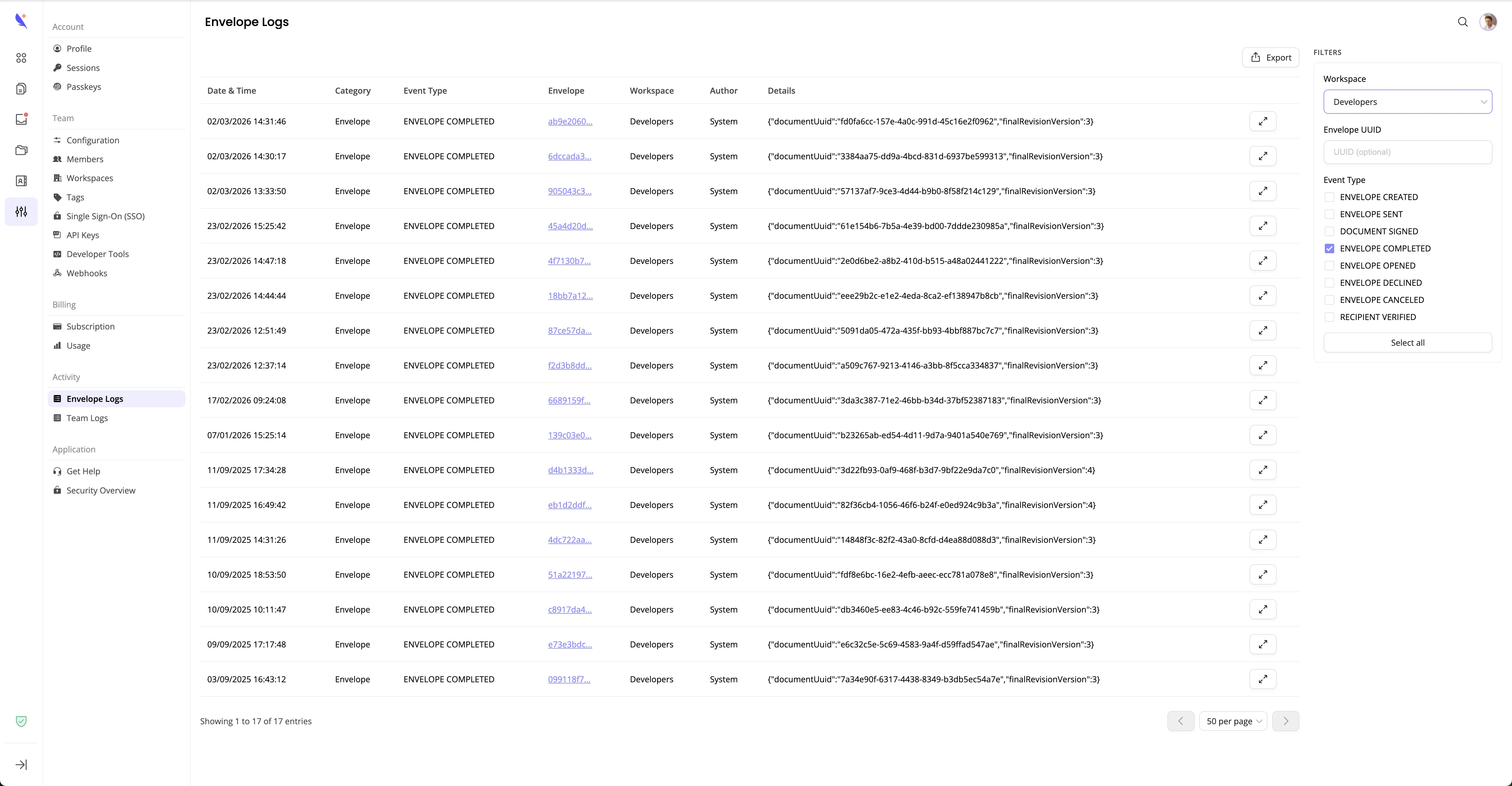
Use the Filters sidebar to narrow results:
- Workspace — restrict to one workspace or view all.
- Envelope UUID — optional; enter an envelope UUID to see only that envelope’s events.
- Event type — one or more checkboxes.
The table shows Date & Time, Event Type, Envelope, Workspace, Author, and Details. Expand a row to see the full event data as JSON. Use Load more to fetch additional pages (50 entries per page). From the table toolbar you can export the current view to JSON or CSV.
Event types
Team events
| Event type | Description |
|---|---|
TEAM_CREATED | Team was created |
TEAM_CONFIG_UPDATED | Team configuration changed |
MEMBER_INVITED | Member was invited |
INVITE_REVOKED | Invite was revoked |
MEMBER_JOINED | Member joined the team |
MEMBER_REMOVED | Member was removed |
MEMBER_ROLE_UPDATED | Member role was updated |
API_KEY_CREATED | API key was created |
API_KEY_UPDATED | API key was updated |
API_KEY_INVALIDATED | API key was invalidated |
WEBHOOK_CREATED | Webhook was created |
WEBHOOK_UPDATED | Webhook was updated |
WEBHOOK_DELETED | Webhook was deleted |
SSO_CONFIG_CREATED | SSO config was created |
SSO_CONFIG_UPDATED | SSO config was updated |
SSO_CONFIG_DELETED | SSO config was deleted |
Envelope events
| Event type | Description |
|---|---|
ENVELOPE_CREATED | Envelope was created |
ENVELOPE_SENT | Envelope was sent to recipients |
DOCUMENT_SIGNED | A document was signed |
ENVELOPE_COMPLETED | Envelope was completed |
ENVELOPE_OPENED | Envelope was opened |
ENVELOPE_DECLINED | Envelope was declined |
ENVELOPE_CANCELED | Envelope was canceled |
RECIPIENT_VERIFIED | Recipient was verified |
Getting logs via the API
You can also list the same team and envelope logs programmatically using the developer API. Use an API key with Read Team for team logs or Read Envelope for envelope logs, then call the logs list endpoint. This is useful for audit sync, reporting, or custom tooling. See Get activity logs for envelopes and team for the Public API and examples.