
Device-Bound Session Credentials
Device-Bound Session Credentials (DBSC) is a browser-level security feature that binds a session to the device that created it. Even if a session cookie is stolen, it cannot be used from another device.
Subnoto automatically activates DBSC for browsers that support it (Chromium-based browsers with TPM/secure-element support). No action is required from developers or end users — DBSC is negotiated transparently during login.
How it works
DBSC ties a session to an unforgeable proof of device identity using the browser’s Trusted Platform Module (TPM) or equivalent secure element:
- Login — When a user logs in, the server returns a
Secure-Session-Registrationheader with a challenge and algorithm requirements. - Registration — The browser generates an ECDSA P-256 key pair inside the TPM (the private key never leaves the
hardware) and sends a self-signed JWT (
dbsc+jwt) containing the public key and the signed challenge. - Server stores public key — The server verifies the JWT, extracts the public key, and stores it alongside the session.
- Short-lived cookie — Instead of a long-lived session cookie, the server sets a short-lived DBSC cookie (4 minutes). When it expires, the browser must refresh it.
- Refresh — The browser calls the refresh endpoint. The server issues a challenge; the browser signs it with the TPM-held private key and returns the proof. The server verifies the signature against the stored public key and issues a fresh cookie.
Because the private key is hardware-bound and cannot be extracted, a stolen cookie expires within minutes and cannot be refreshed from a different machine.
Session lifecycle with DBSC

What users see
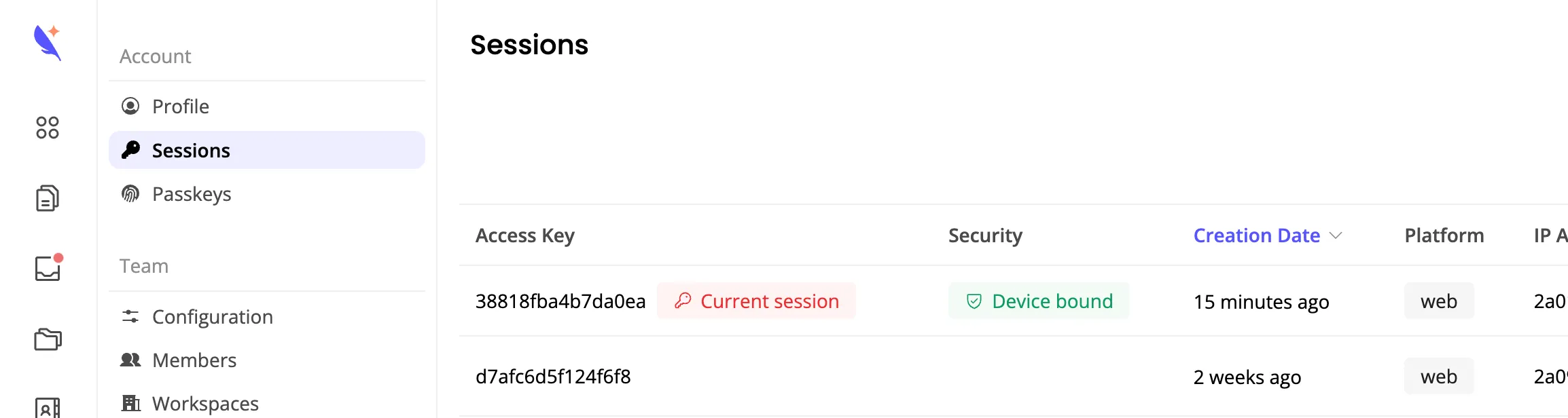
In the Sessions settings page, sessions with DBSC active display a Device bound badge. This indicates that the session is protected by a hardware key and cannot be replayed from another device.
Browser support
DBSC is currently supported on Chrome/Chromium-based browsers. Support varies by platform:
- Windows — Enabled by default (Chrome 145+). No action required.
- macOS/Linux — To enable DBSC manually in Chrome/Chromium, configure these two flags in
chrome://flags:- Device Bound Session Credentials (Standard) —
#enable-standard-device-bound-session-credentials(set to “Enabled”) - Enable UnexportableKeyService mojo service in the browser process —
#use-unexportable-key-service-in-browser-process(set to “Enabled”)
- Device Bound Session Credentials (Standard) —
On unsupported browsers or when flags are not enabled, sessions fall back to standard tunnel credential based authentication. DBSC is an additional security layer — it does not replace existing protections.
Related
- Chrome DBSC documentation — Official Chrome developer documentation for Device Bound Session Credentials
- DBSC specification — WICG specification
- API security — Remote attestation, secure tunnel, and HTTP Signature verification