
Team Configuration
Settings → Configuration is where team administrators manage document upload options and the session policy that applies to every member.
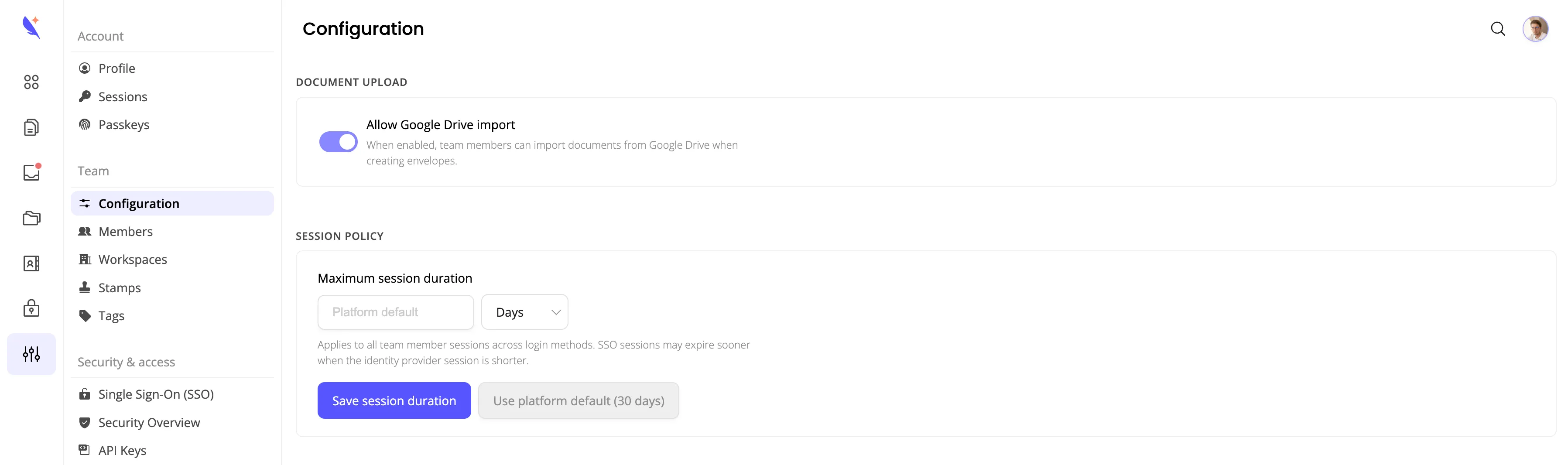
Document upload
Allow Google Drive import controls whether team members can import documents from Google Drive when creating envelopes. Turn it off to remove the Google Drive option from the upload flow for the whole team, for example if your organization does not use Google Workspace or wants to limit where documents come from.
Session policy
Maximum session duration sets how long a member’s session stays valid before they need to sign in again. It applies to all team member sessions, across every login method (password, passkey, social login, and SSO).
Choose a value in hours or days, or leave it on Platform default (30 days). Click Save session duration to apply your change, or Use platform default to remove any team-specific override.
Related guides
- Single Sign-On (SSO) - configure SSO and test it before activating it for your team
- Inviting team members - roles and workspace assignment at invite time