
Verifying Signatures
Verify is a free, public page that checks the digital signatures on any signed PDF, whether it was signed with Subnoto or another provider. No Subnoto account is required.
Verify a document
- Go to app.subnoto.com/verify.
- Drag and drop a signed PDF, or click to browse and select one.
- Optionally set a validation date to check the signature’s validity as of a specific date instead of today.
- Review the results.
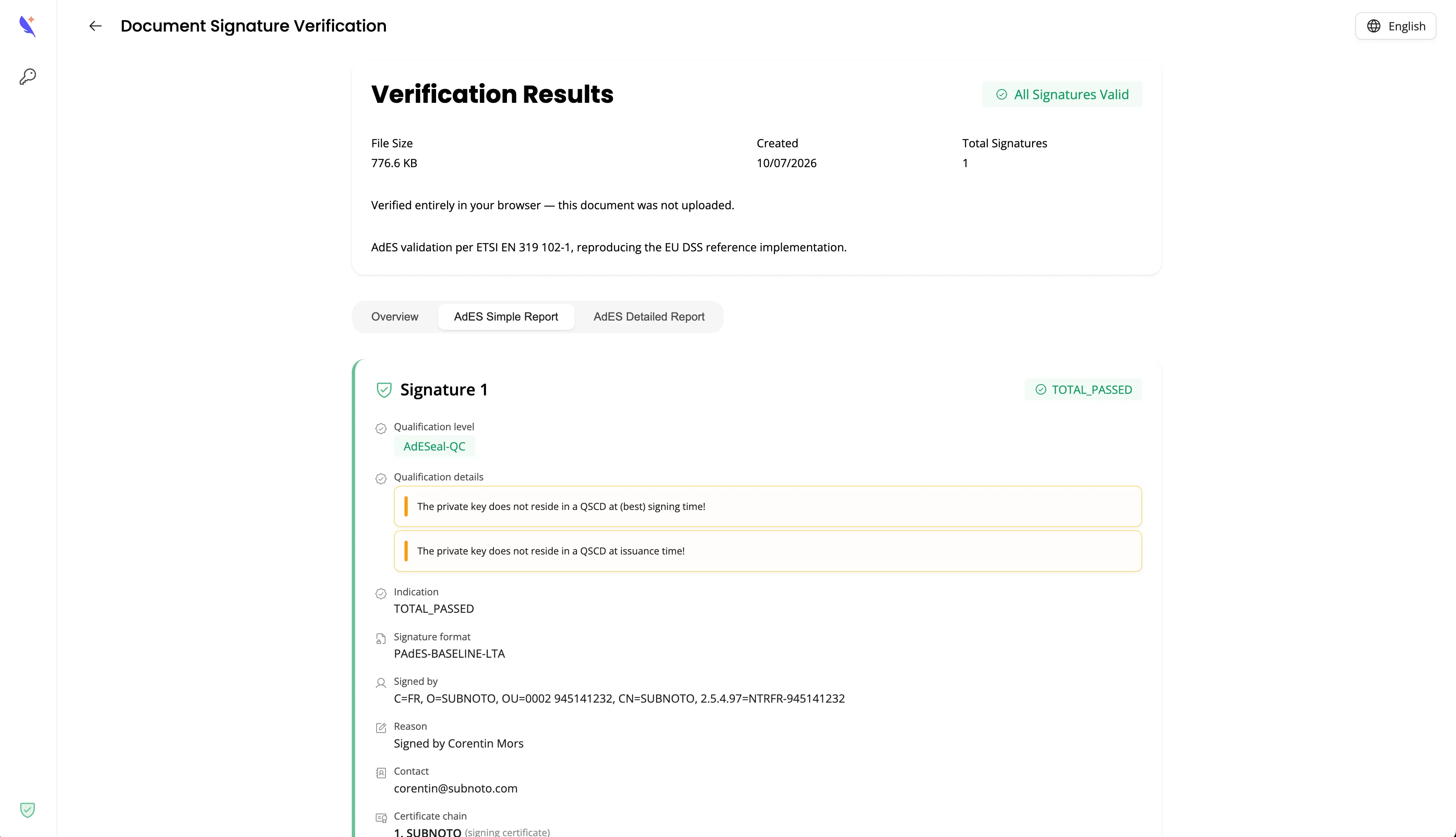
If the file has no digital signatures, Verify tells you so instead of returning an error.
What gets checked
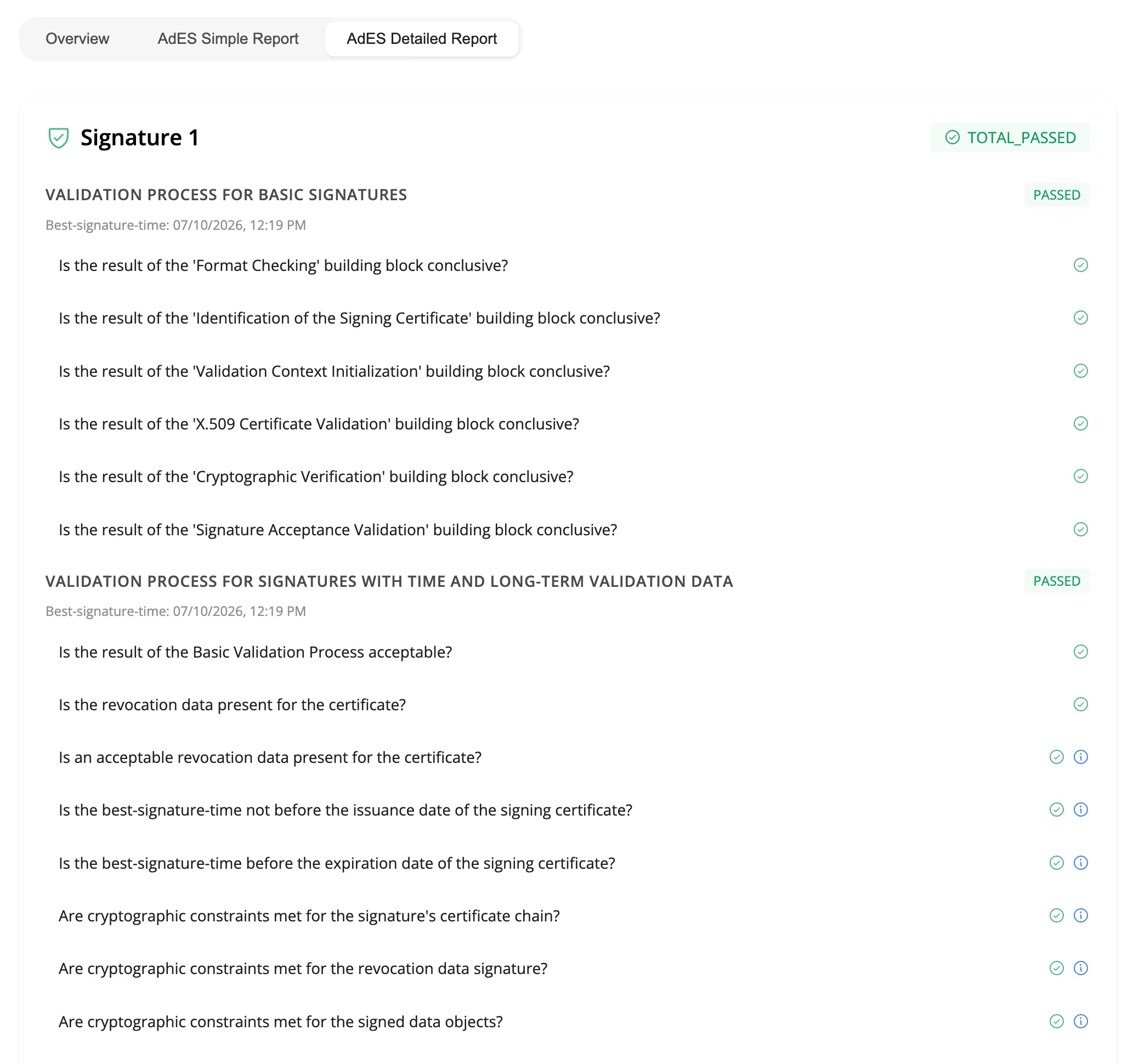
Validation follows ETSI EN 319 102-1, reproducing the EU DSS reference implementation, and checks the signing certificate chain against the EU Trusted List. For each signature, results are organized into three tabs:
- Overview - a readable summary: validity, qualification level (for example AdES, AdESeal-QC), signature format (such as PAdES-BASELINE-LTA), signer, reason, contact, and certificate chain.
- AdES Simple Report - the signature format, overall indication (for example
TOTAL_PASSED), and qualification details. - AdES Detailed Report - every building block of the validation process (format checking, certificate validation, cryptographic verification, revocation data, timestamp validity, and more), each with its own pass/fail result.
Validation date
By default, Verify validates signatures as of today. Setting a different validation date is useful to check whether a signature was valid at a past point in time, for example the date a contract was signed or a certificate was still within its validity period.
Related guides
- Download signed document and audit proof - retrieve the signed PDF and audit proof programmatically after an envelope completes