
Integrate with Zapier
Zapier lets you connect Subnoto to 8,000+ apps (including 450+ AI tools) without writing code. A common pattern is: detect envelope completion, retrieve the final artifacts (signed PDF and audit proof PDF), then post them to your internal tools (Discord, Slack, email, storage, CRMs).
This page explains the recommended setup and provides a worked example: Send Subnoto envelope completion to Discord with documents.
Official Zapier listing:
What you can build
- Notify a channel when an envelope is completed, signed, declined, or canceled.
- Download and archive the signed document and proof (audit trail) for compliance.
- Trigger next steps in your stack (ticketing, CRM updates, storage, emails).
Prerequisites
- A Subnoto account with API access
- A Zapier account
- A Discord server and a target channel (for the example below)
Authentication (Subnoto app in Zapier)
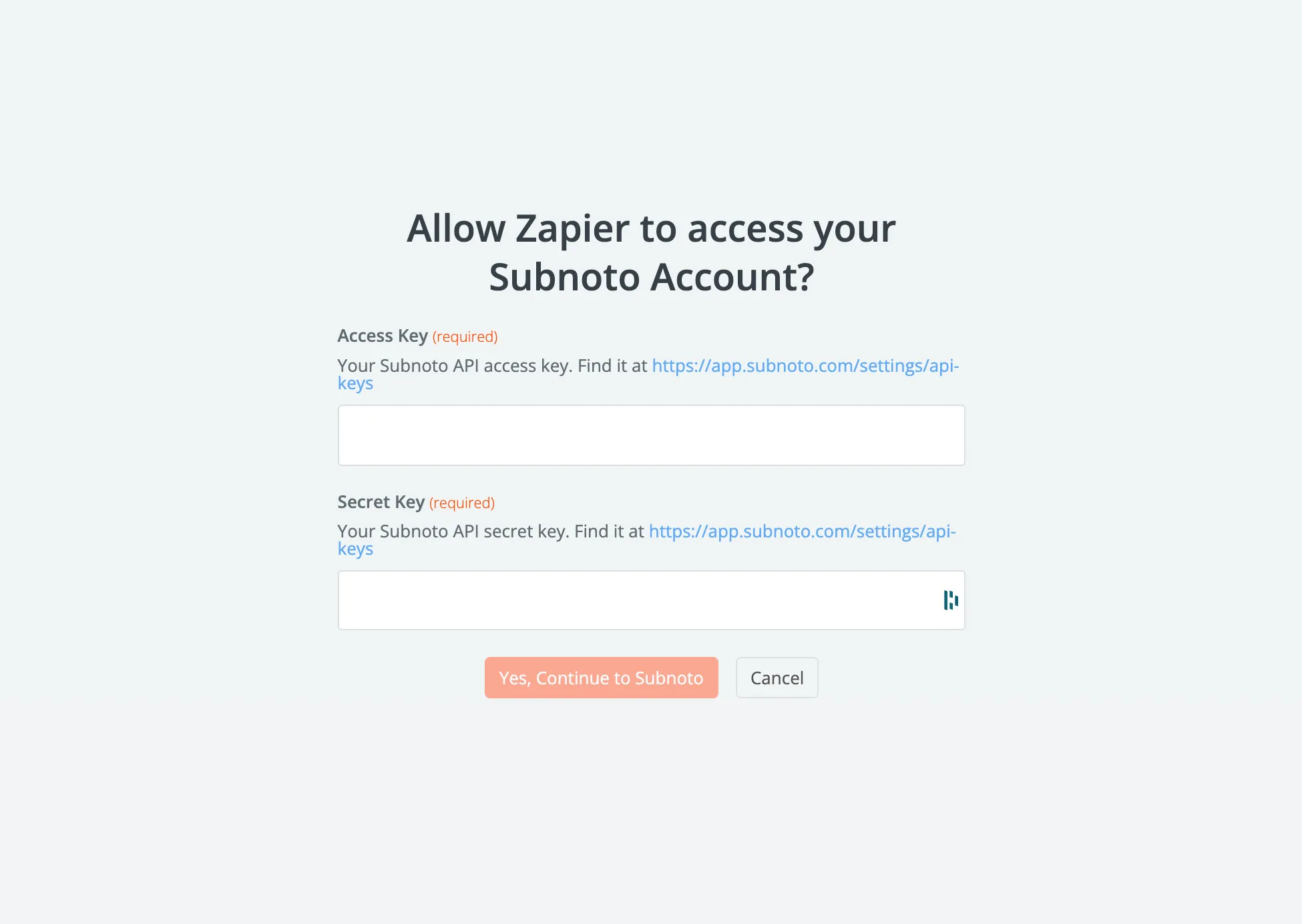
The Subnoto Zapier app uses your Access Key and Secret Key.
- Create a team API key in Subnoto: Create API keys
- In Zapier, connect the Subnoto app and paste your Access/Secret keys.
Recommended trigger architecture
For completion-driven automations, use a Subnoto webhook (event: ENVELOPE_COMPLETED) as the source of truth, and use Webhooks by Zapier → Catch Hook as the Zap trigger.
Why this approach:
- Webhooks are real-time (no polling delay).
- Your Zap receives the IDs it needs to retrieve envelope metadata and download artifacts.
- You can keep the Zap simple and deterministic.
Related docs:
Tutorial: Send Subnoto envelope completion to Discord with documents
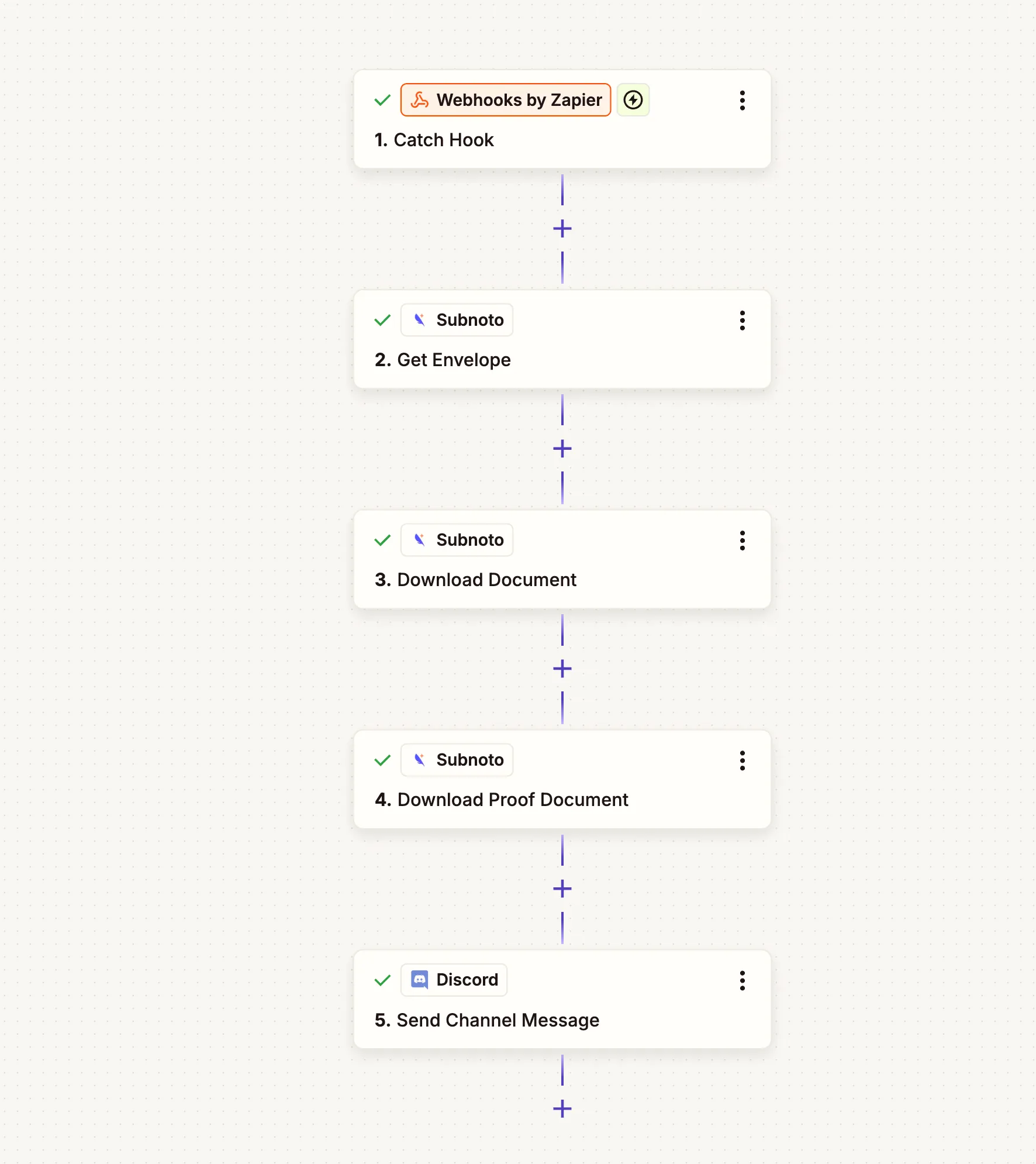
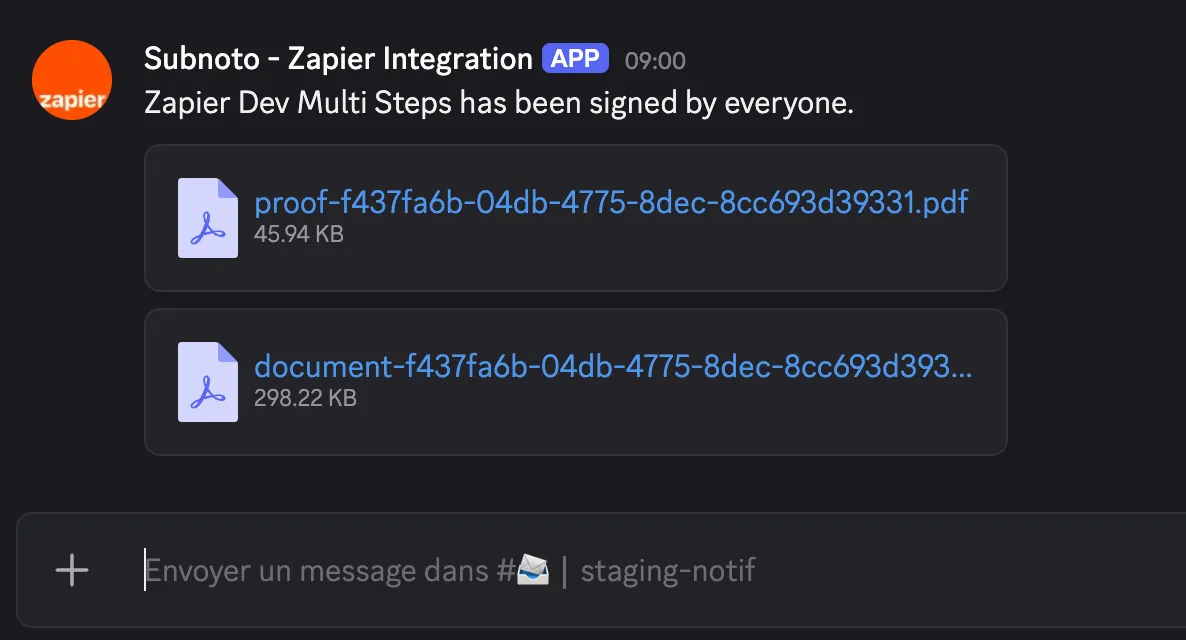
This Zap monitors Subnoto for completed envelopes, downloads the signed document and proof, then posts both files to a Discord channel with a notification message.
Step 1: Set up the webhook trigger in Zapier
In Zapier, create a new Zap.
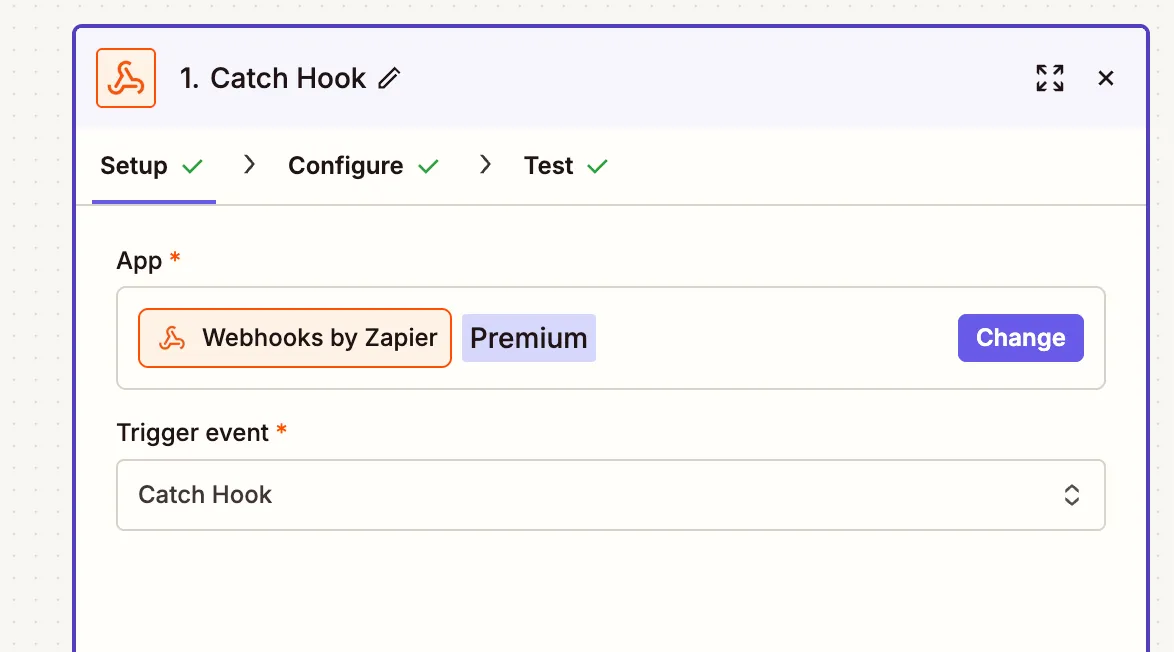
- Select Webhooks by Zapier as the trigger.
- Choose Catch Hook.
- Copy the webhook URL Zapier provides.
Step 2: Configure the Subnoto webhook to call Zapier
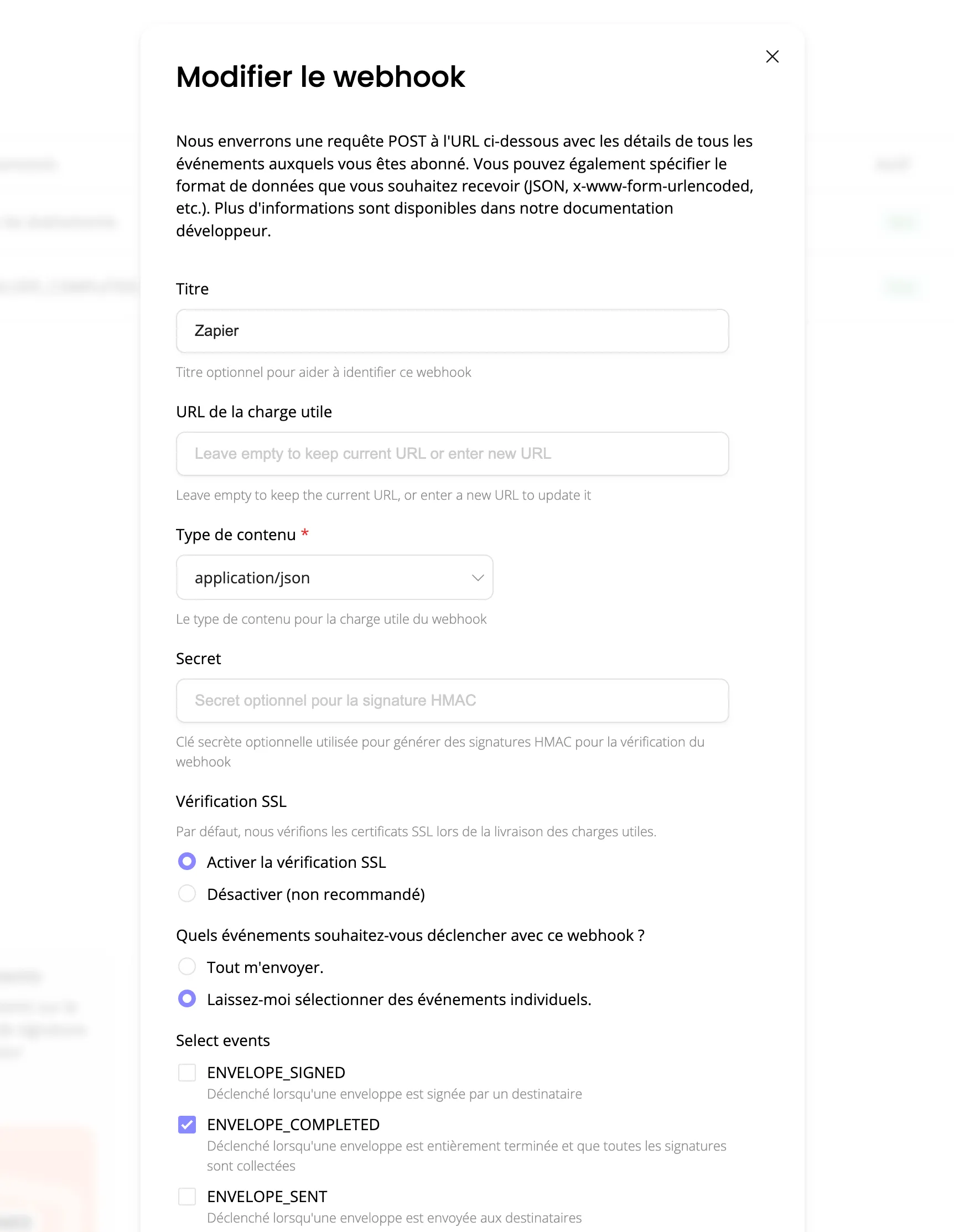
In Subnoto, configure a webhook to send ENVELOPE_COMPLETED events to the Zapier Catch Hook URL.
The completion payload contains the key IDs for the rest of the Zap:
{ "eventUuid": "...", "eventType": "ENVELOPE_COMPLETED", "eventTime": 1774886690777, "webhookUuid": "...", "teamUuid": "...", "data": { "workspaceUuid": "ef8ccdb8-c632-40de-8db5-f5aa1d63b31a", "envelopeUuid": "142a5eac-0a2c-4af9-ac32-787b43bd209a", "documentUuid": "2177a07c-0cd8-4a27-b0ac-deb50db43df5", "finalRevisionVersion": 3 }}You will use data.workspaceUuid and data.envelopeUuid throughout the Zap.
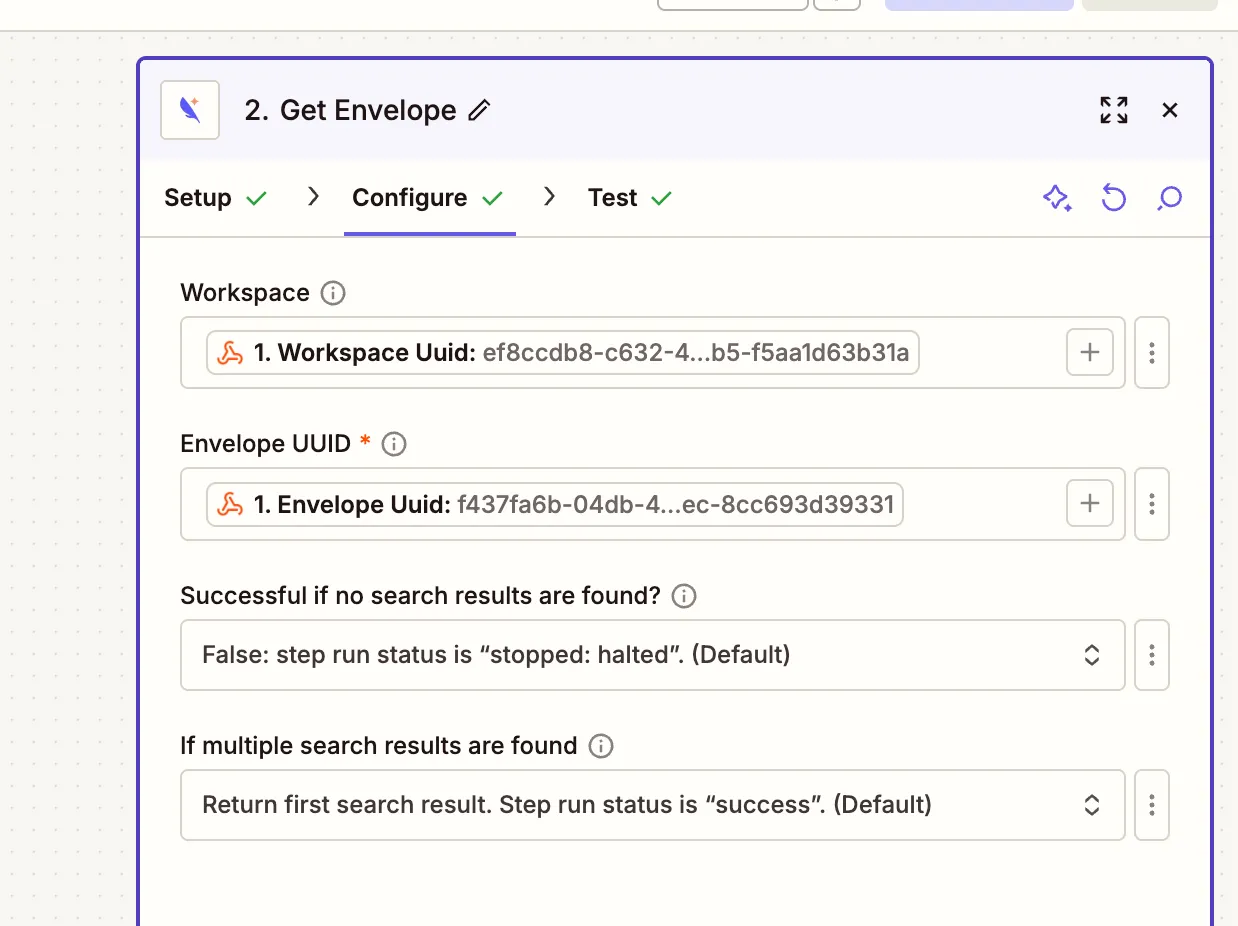
Step 3: Get envelope details (Subnoto → Get Envelope)
Add an action step:
- App: Subnoto
- Action: Get Envelope
Configure fields:
- Workspace:
{{=gives["356882939"]["workspaceUuid"]}}(from webhook) - Envelope UUID:
{{=gives["356882939"]["envelopeUuid"]}}(from webhook) - Success if no results:
False - Multiple results behavior: Return first result
Step 4: Download signed document (Subnoto → Download Document)
Add an action step:
- App: Subnoto
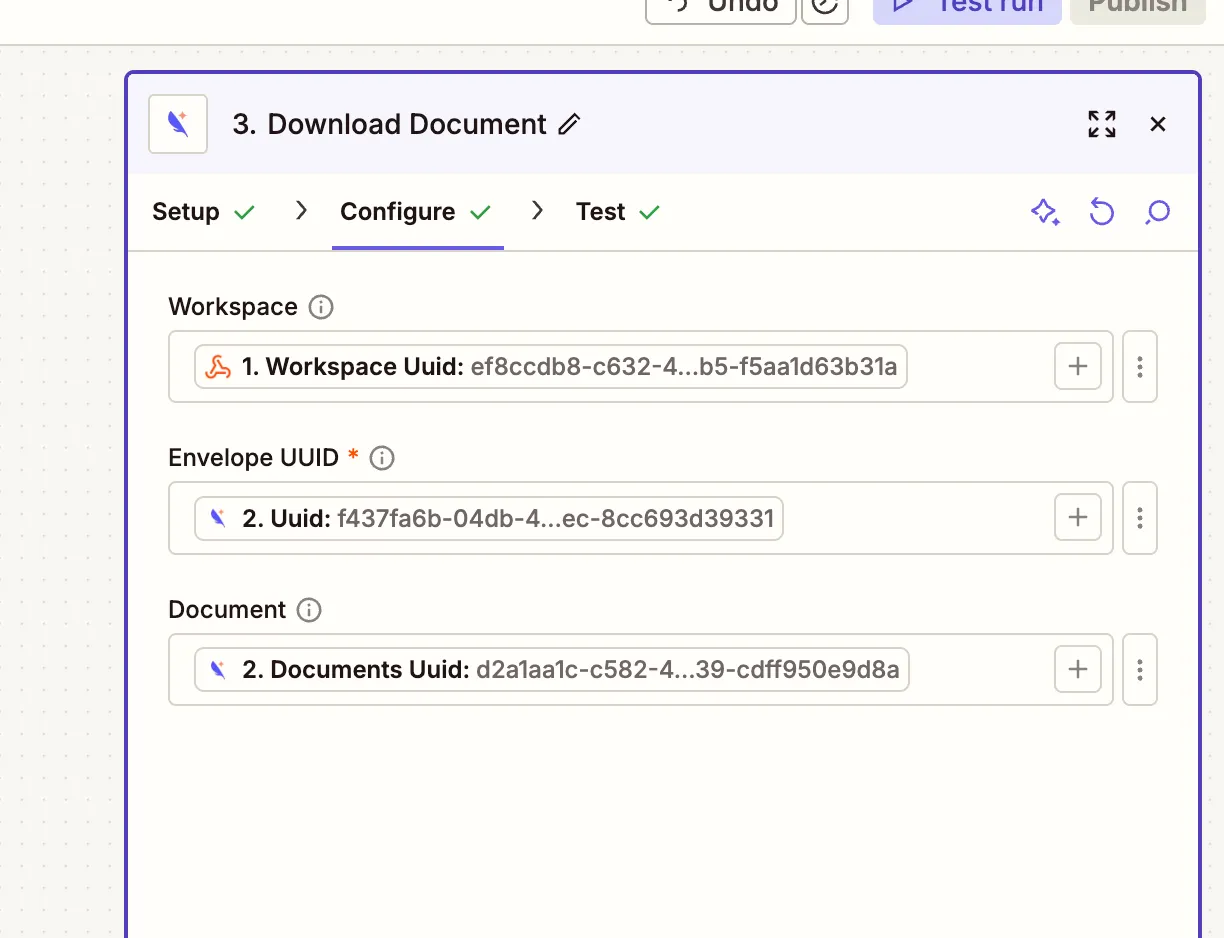
- Action: Download Document
Configure fields:
- Workspace:
{{=gives["356882939"]["workspaceUuid"]}} - Envelope UUID:
{{356882940__uuid}}(from Get Envelope) - Document UUID:
{{356882940__documents[]uuid}}(first document from the envelope)
This step returns a file object that can be attached in later steps.
Step 5: Download audit proof (Subnoto → Download Proof Document)
Add an action step:
- App: Subnoto
- Action: Download Proof Document
Configure fields:
- Workspace:
{{=gives["356882939"]["workspaceUuid"]}} - Envelope UUID:
{{356882940__uuid}}
This step also returns a file object.
For a deeper explanation of the two artifacts, see: Download signed document and audit proof after completion.
Step 6: Post to Discord (Discord → Send Channel Message)
Add the final action step:
- App: Discord
- Action: Send Channel Message
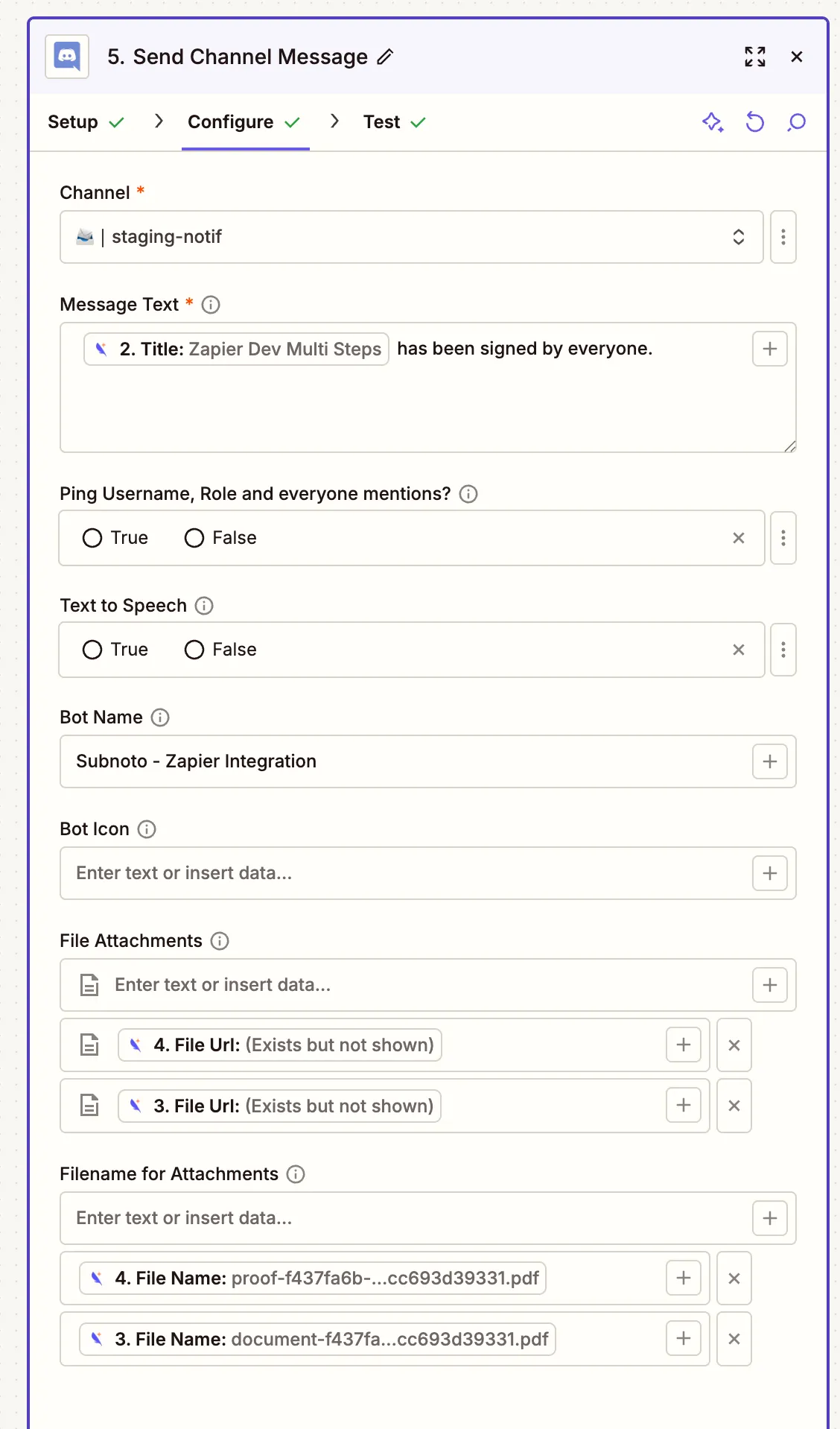
Configure fields:
- Channel: your target channel (e.g.
#staging-notif) - Username / Bot Name:
Subnoto - Zapier Integration - Message:
{{=gives["356882940"]["title"]}} has been signed by everyone. - File attachments:
{{=gives['356896185']["fileUrl"]}}(proof URL){{=gives['356896179']["fileUrl"]}}(signed doc URL)
- Filenames for attachments:
{{=gives['356896185']["fileName"]}}(proof filename){{=gives['356896179']["fileName"]}}(document filename)
Expected result:
How data flows through the Zap
Troubleshooting
- Webhook trigger never fires: confirm the Subnoto webhook is active and includes
ENVELOPE_COMPLETED, and that the payload URL is the Zapier Catch Hook URL. - Missing
workspaceUuid/envelopeUuidin Zapier: ensure you are reading fromdata.workspaceUuidanddata.envelopeUuidin the webhook payload. - Download Document fails: confirm you pass a valid
Document UUID(typically the first entry in the envelope’sdocuments[]array) and that the envelope is in the expected state. - Proof download returns envelope not completed: this API requires the envelope to be fully completed; use the completion webhook as the trigger.
- Discord files not attached: use the file objects returned by the download steps (Zapier fields like
fileUrl+fileName), not a plain text URL.