
Setting up webhooks
Webhooks send HTTP POST requests to your URL when envelope events occur in Subnoto. Use them to update your systems when envelopes are signed or completed, or to keep external systems in sync.
Available events
ENVELOPE_CREATED- A new envelope was created in a workspace.ENVELOPE_SENT- Fired when the sender sends the envelope to recipients.ENVELOPE_OPENED- A recipient opened the envelope for the first time.ENVELOPE_SIGNED- Fired each time a recipient signs an envelope.ENVELOPE_COMPLETED- Fired once when all required signatures are collected. Use this to download the signed document and proof.ENVELOPE_DECLINED- A recipient declined the invitation.ENVELOPE_CANCELED- The sender canceled the envelope before completion.
Create a webhook
- Log in at app.subnoto.com
- Go to Settings → Webhooks
- Click Create webhook
- Set the payload URL, optional secret, events, and workspaces (see Configuration)
- Click Add webhook
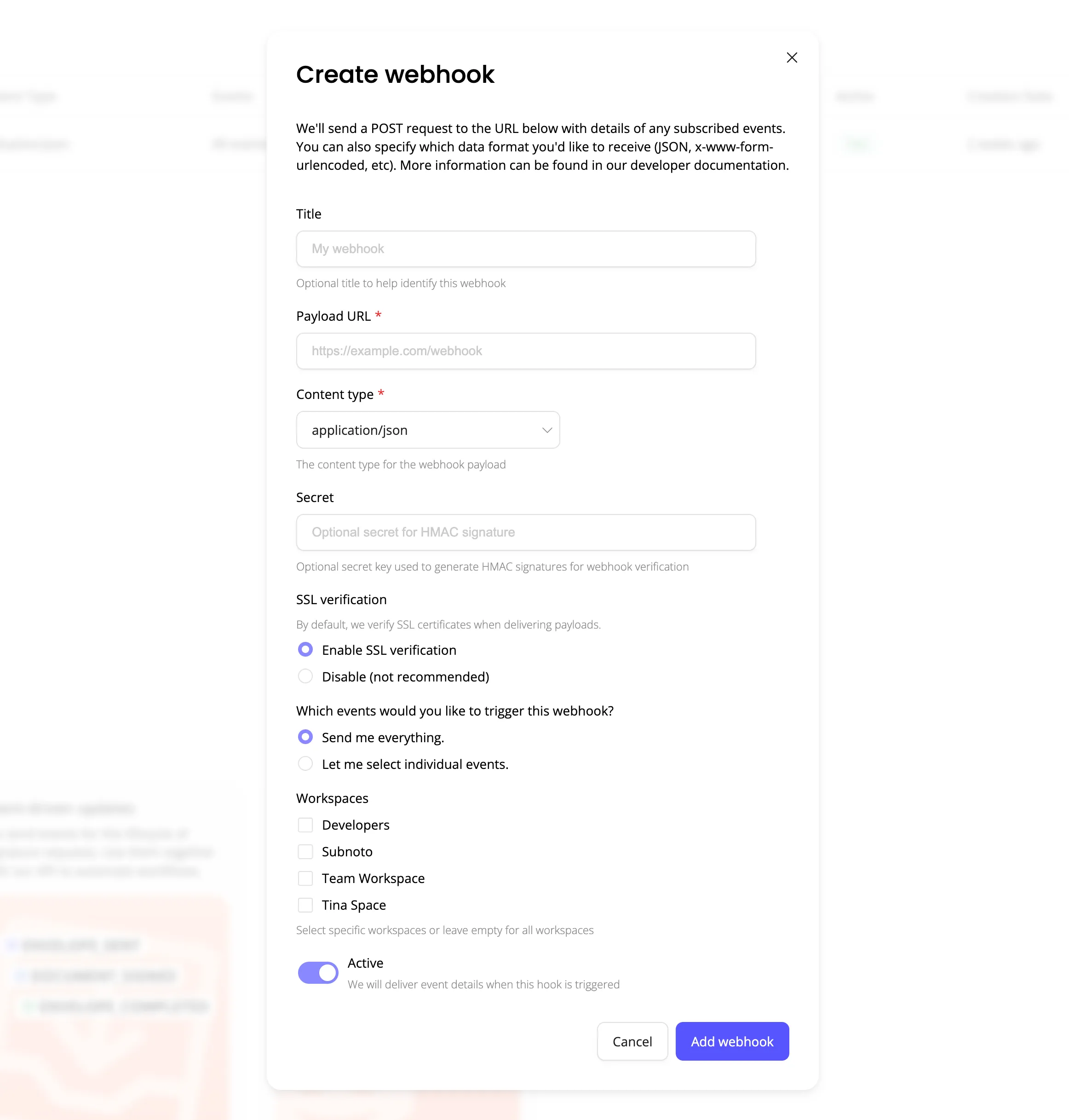
Configure a secret and verify signatures in your endpoint to ensure requests are from Subnoto.
Test a webhook
After creating a webhook, you can send a test payload from the UI:
- Go to Settings → Webhooks
- Find your webhook and open the actions menu (⋮)
- Choose Test webhook
A test payload is sent to your URL so you can confirm the endpoint receives and parses it correctly.