July brings a new product in beta, a public tool to verify any signed PDF, and a batch of workflow improvements: reusable stamps, envelope viewers, initials you can preview before signing, and finer control over where new teammates land.
Here is what is new.
Workspace stamps
You can now upload reusable stamp images per workspace and place them on envelopes and templates while preparing a document, without re-uploading the same image every time. Think of a company seal, an “Approved” mark, or a department stamp.
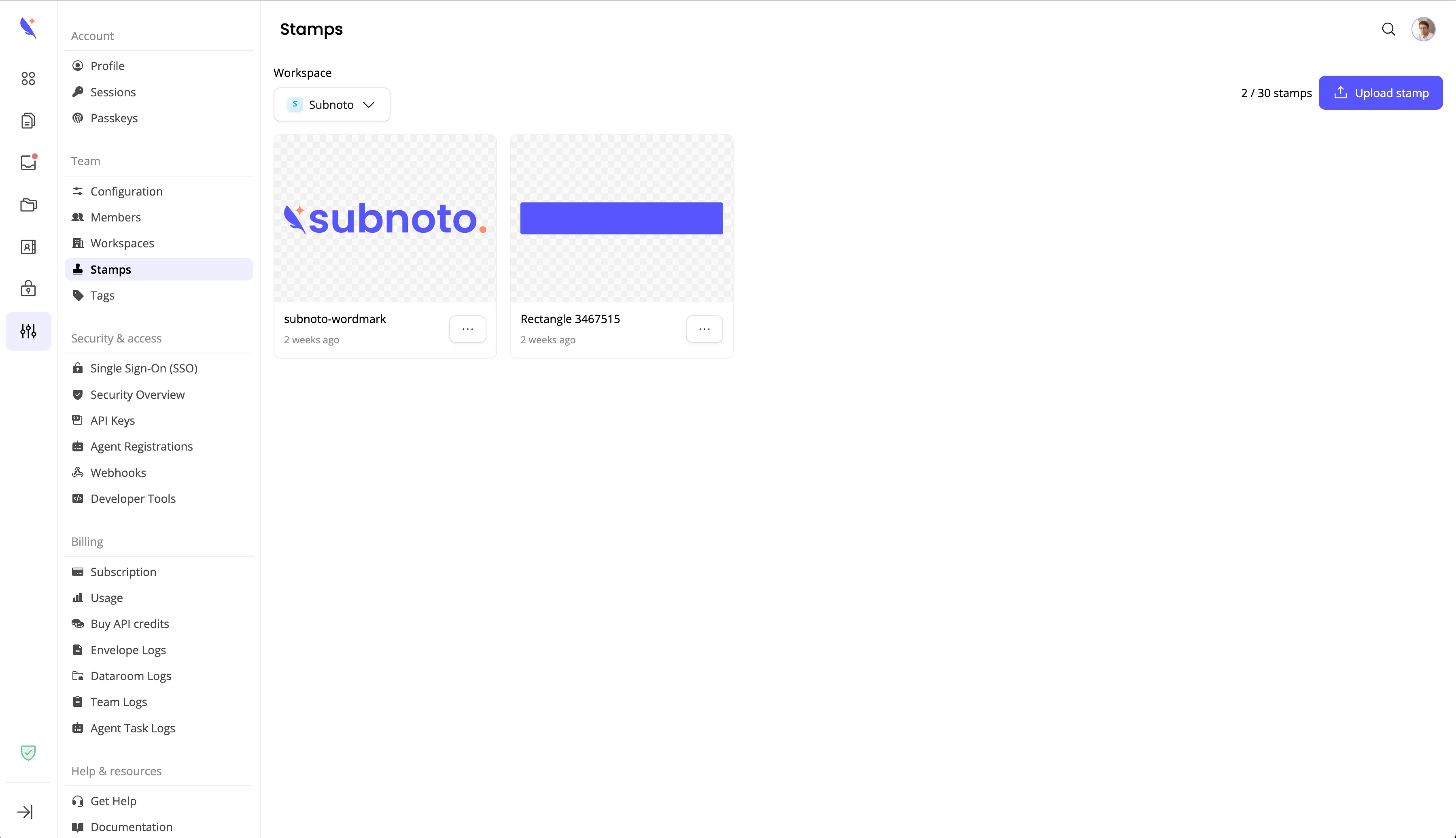
Stamps are placed on the document during preparation; they are not signature fields, so recipients do not interact with them when signing. Each workspace can store up to 30 stamps, available on Pro and Ultimate plans.
Learn more: Workspace stamps.
Viewer role for envelopes
Alongside signers and approvers, you can now add viewers to an envelope. Viewers can open the envelope and follow its progress, but they do not sign or approve anything. Useful for keeping a manager, an assistant, or an external stakeholder in the loop on a signature request without asking them to act on it.
Add viewers from the editor’s Viewers section before sending, or invite them later from the envelope view. Revoked viewers can be re-invited at any time. Like approvers, viewers do not consume signature or API credits.
Learn more: Adding recipients.
Initials preview and placement
Preparing a document with initials just got more precise. Turn on Add initials on all pages automatically and use the Initials height from bottom slider to choose exactly where initials land on every page, with a live preview on the document as you drag.
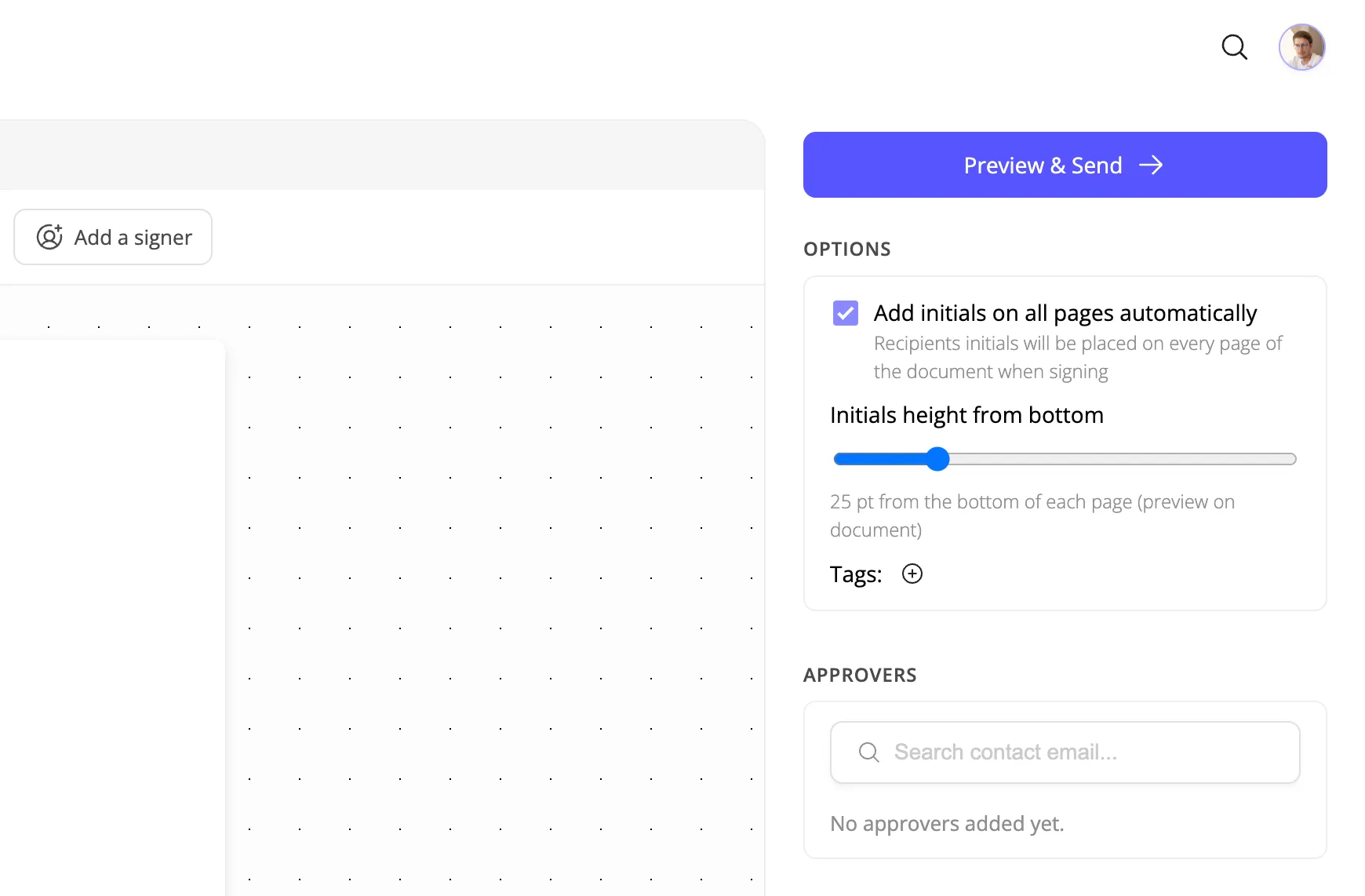
Recipients see the same preview when they sign, so there are no surprises about where their initials will appear.
Learn more: Placing signature fields.
Pre-add new members to workspaces
Inviting a teammate now lets you decide upfront which workspaces they join. In the invite modal, open Workspaces and pick one or more from the list, or leave it empty to use the default workspace.
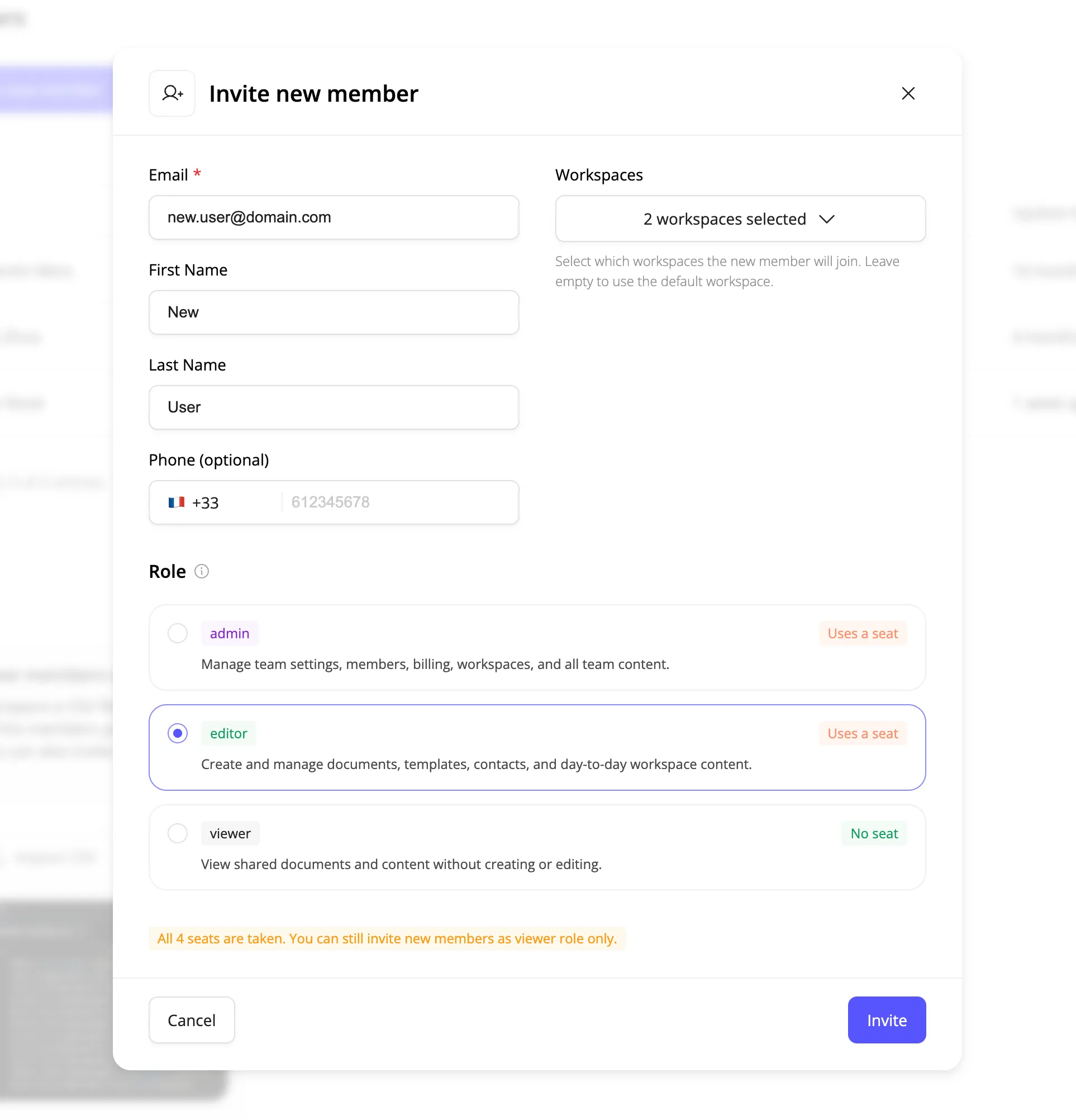
The picker also shows which workspace is the default and lets you create a new one on the spot.
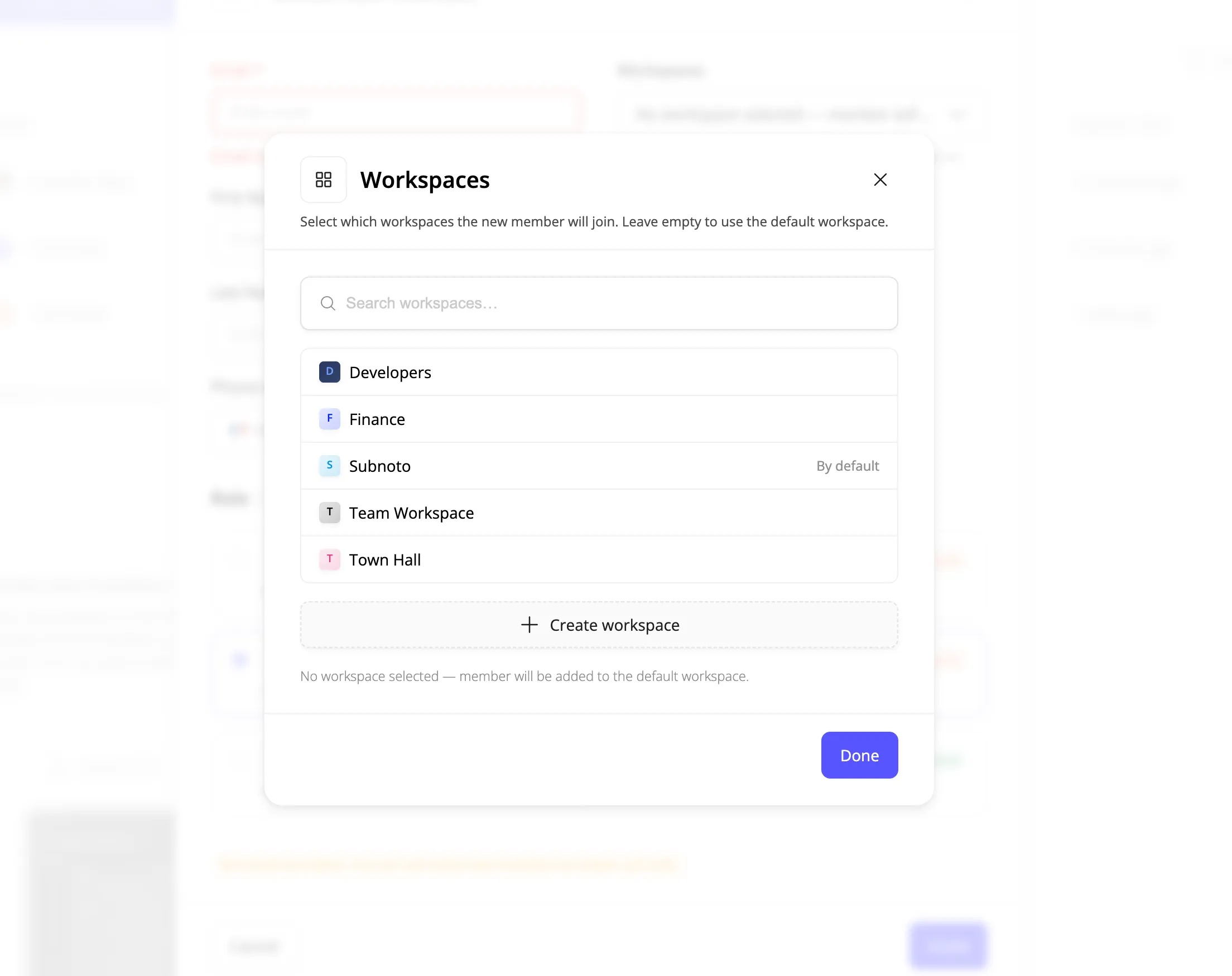
This saves a trip to workspace settings right after onboarding someone new, especially on teams with several workspaces per department or client.
Learn more: Inviting team members.
Brand new Verify page
app.subnoto.com/verify is a public page that checks the signatures on any signed PDF, whether it was signed with Subnoto or another provider. Drop in a file and Subnoto validates it entirely in your browser: the document is never uploaded.
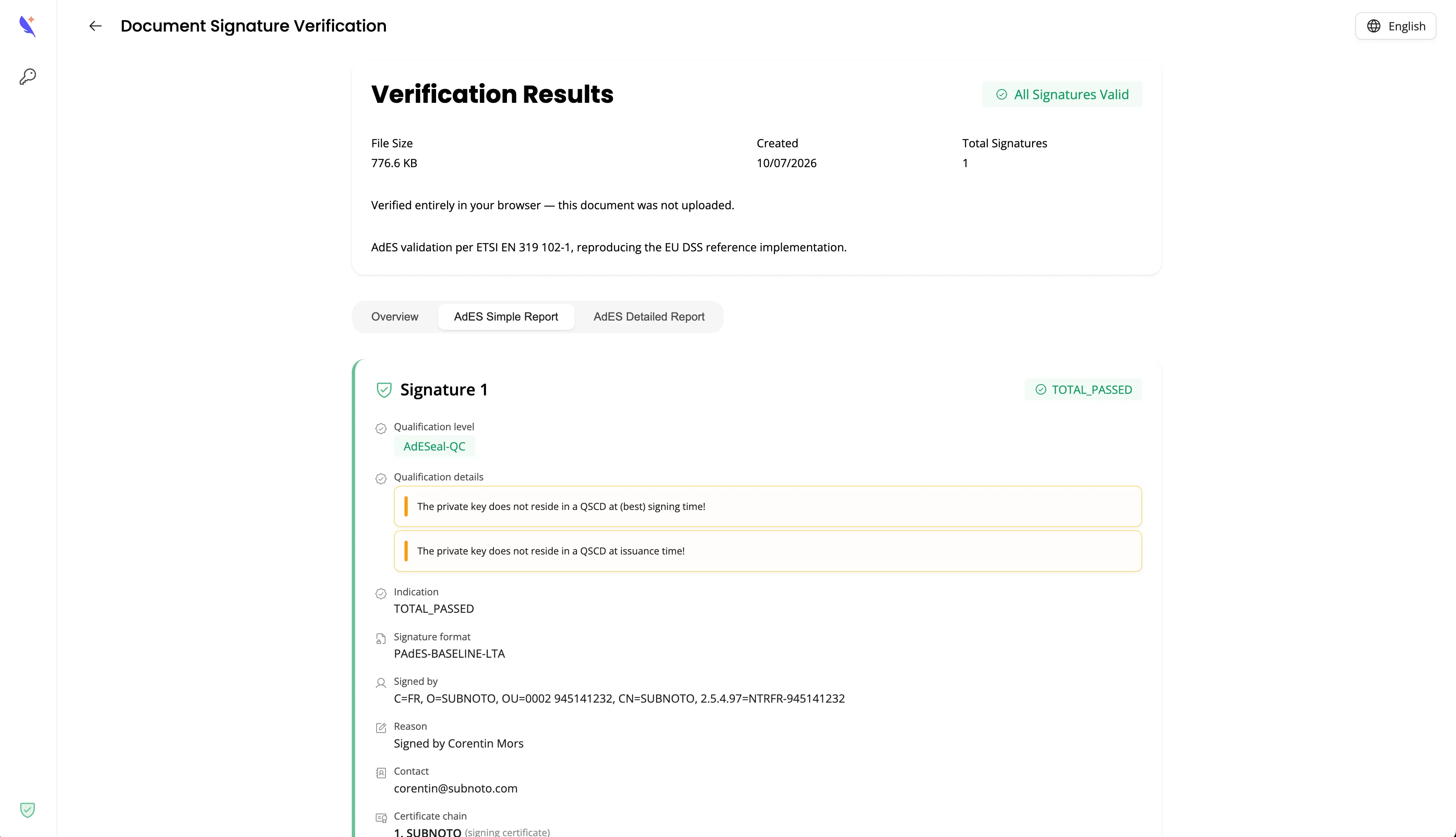
Validation follows ETSI EN 319 102-1, reproducing the EU DSS reference implementation, and checks against the EU Trusted List. Beyond the simple pass/fail summary, the AdES Detailed Report walks through every building block of the validation process, so you (or your compliance team) can see exactly which checks passed.
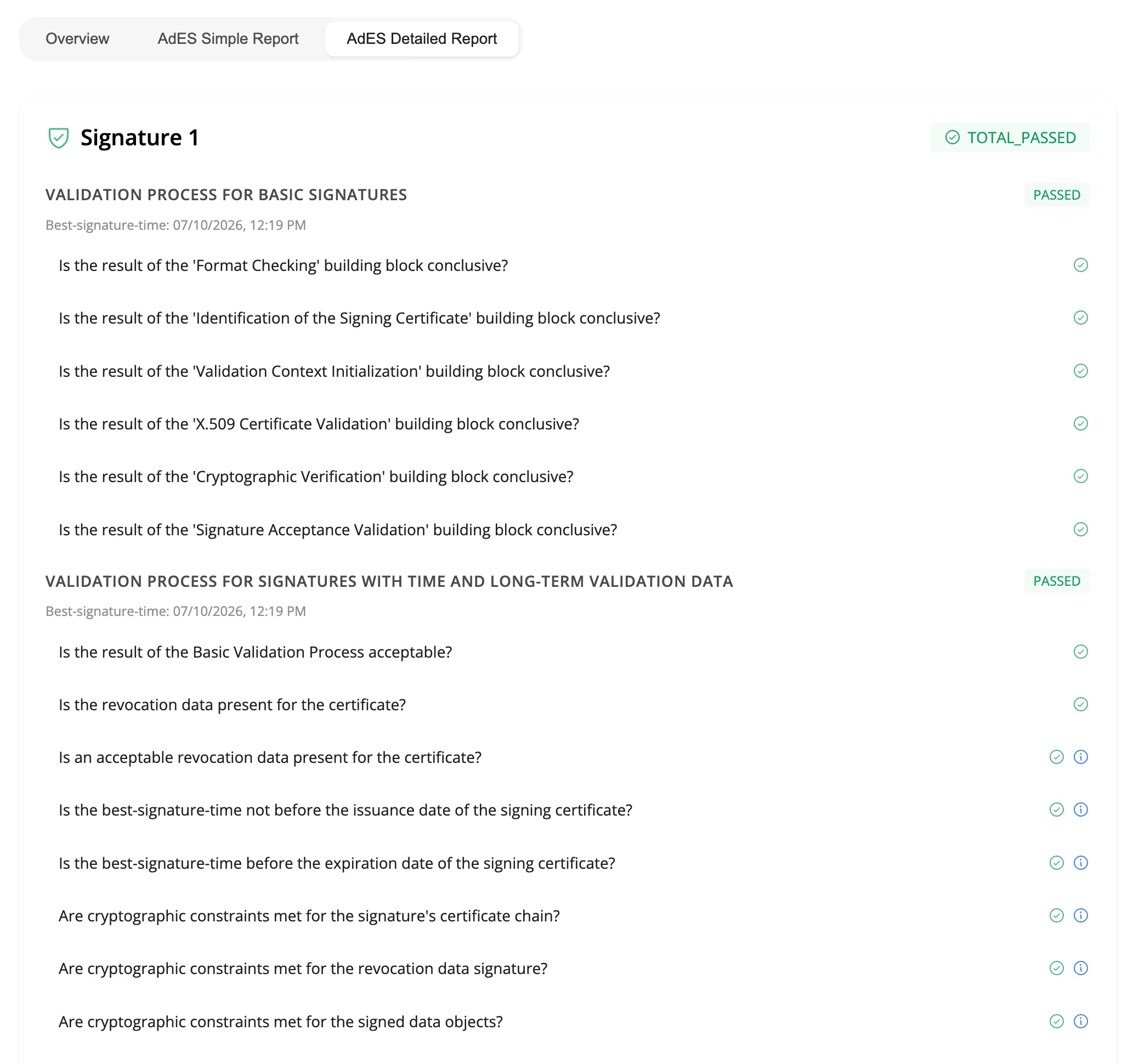
Learn more: Verifying signatures.
Datarooms (beta)
Datarooms are a new way to share a set of files with your team and with external people, beyond envelopes and templates. Create a dataroom, drag in documents of any format (PDF, Office files, images, and more), and control who can view or download them.
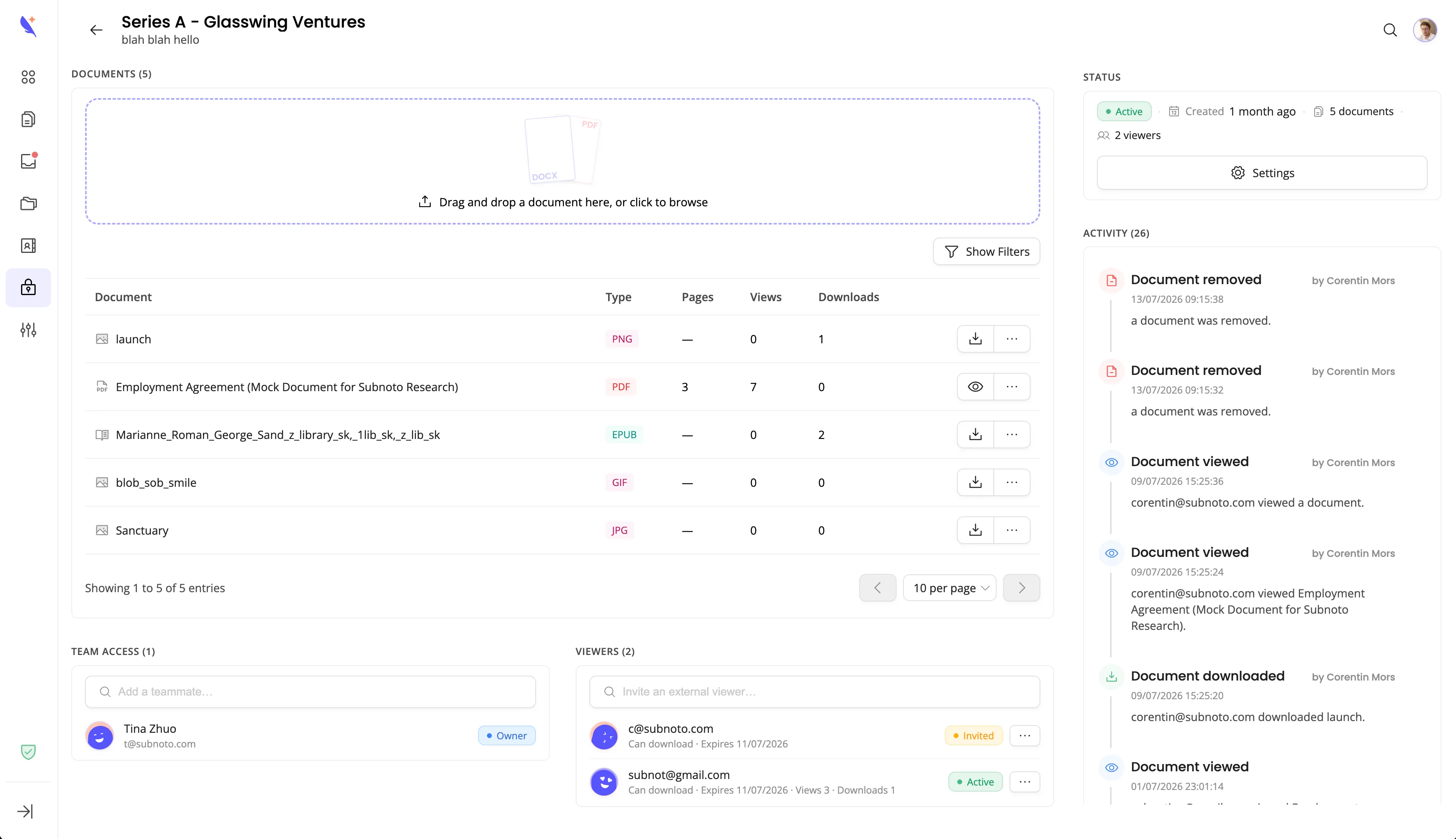
Give teammates owner or editor access to manage the dataroom, and invite external viewers with view-only or download permissions and an optional expiration date. Every view and download is recorded in the activity log, so you always know who opened or downloaded what, and when.
Datarooms are in beta: available to try today, with more controls and plan details coming as it matures.
Learn more: Datarooms.
More updates
A few more changes that did not each need their own headline, but matter day to day:
-
Workspace picker - Switching between workspaces is easier when you belong to more than one: search and pick from a single picker instead of scrolling a long list.
-
Test SSO button - Before activating SSO for your whole team, use Test SSO in Single Sign-On settings to sign in through your identity provider and confirm the configuration works. See Test your configuration.
-
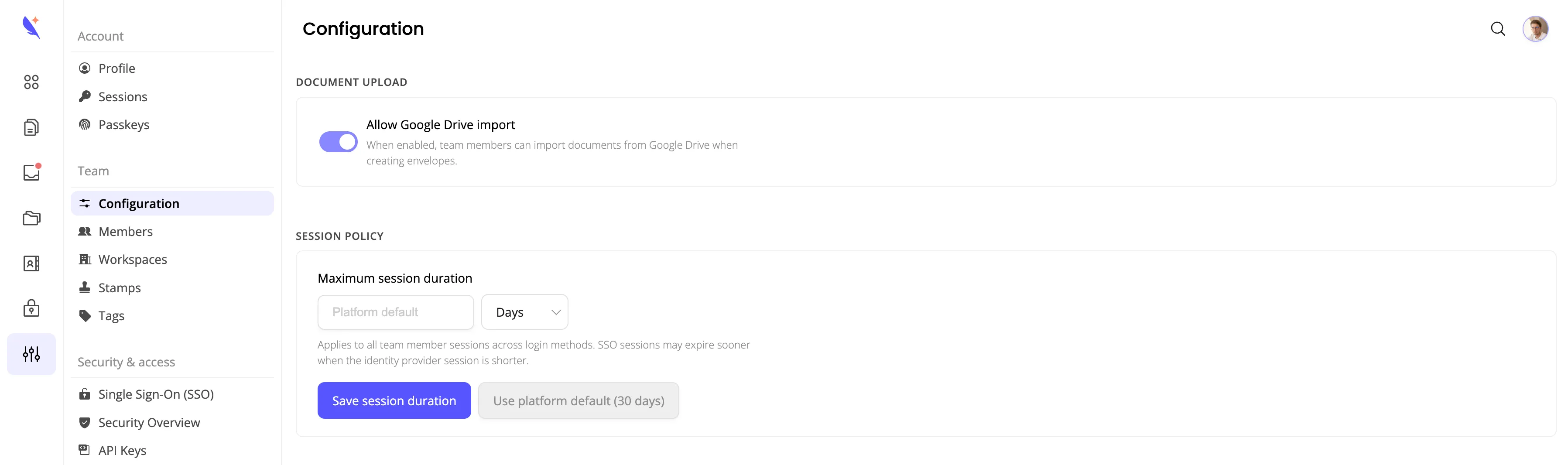
Session duration - Team admins can set a maximum session duration for all members, in Settings → Configuration. When SSO is active, sessions still respect your identity provider’s own session length if it is shorter.
-
Hide Google Drive import - Admins can turn off the Google Drive import button for the whole team from the same Configuration page.
Learn more: Team configuration.
-
New settings design - Several settings pages got a visual refresh to make them easier to scan.
-
New date formats - The signature date field and date input fields support additional date formats, with a live preview while you configure them.
-
Sender name in emails - The sender name you choose for an envelope (your personal name or your team name) is now visible in the emails recipients receive.
-
Various bug fixes and optimizations.
We also fixed a lot of smaller issues reported through support and in-app feedback. Thank you to everyone who took the time to tell us what was broken or confusing - it genuinely helps us prioritize.
Every signature processed through Subnoto stays private and secure. Documents remain encrypted at all times, even during processing.
Try these updates at app.subnoto.com.
Questions or feedback? Reach out from directly in the app. New to Subnoto? Get started for free today.