
Adding and positioning signature fields to PDF documents used to be complicated. You had to measure coordinates, calculate positions, and make multiple API calls. Not anymore.
We just released Smart Anchors. This feature makes placing signature fields as simple as typing text in your document editor.
What Are Smart Anchors?
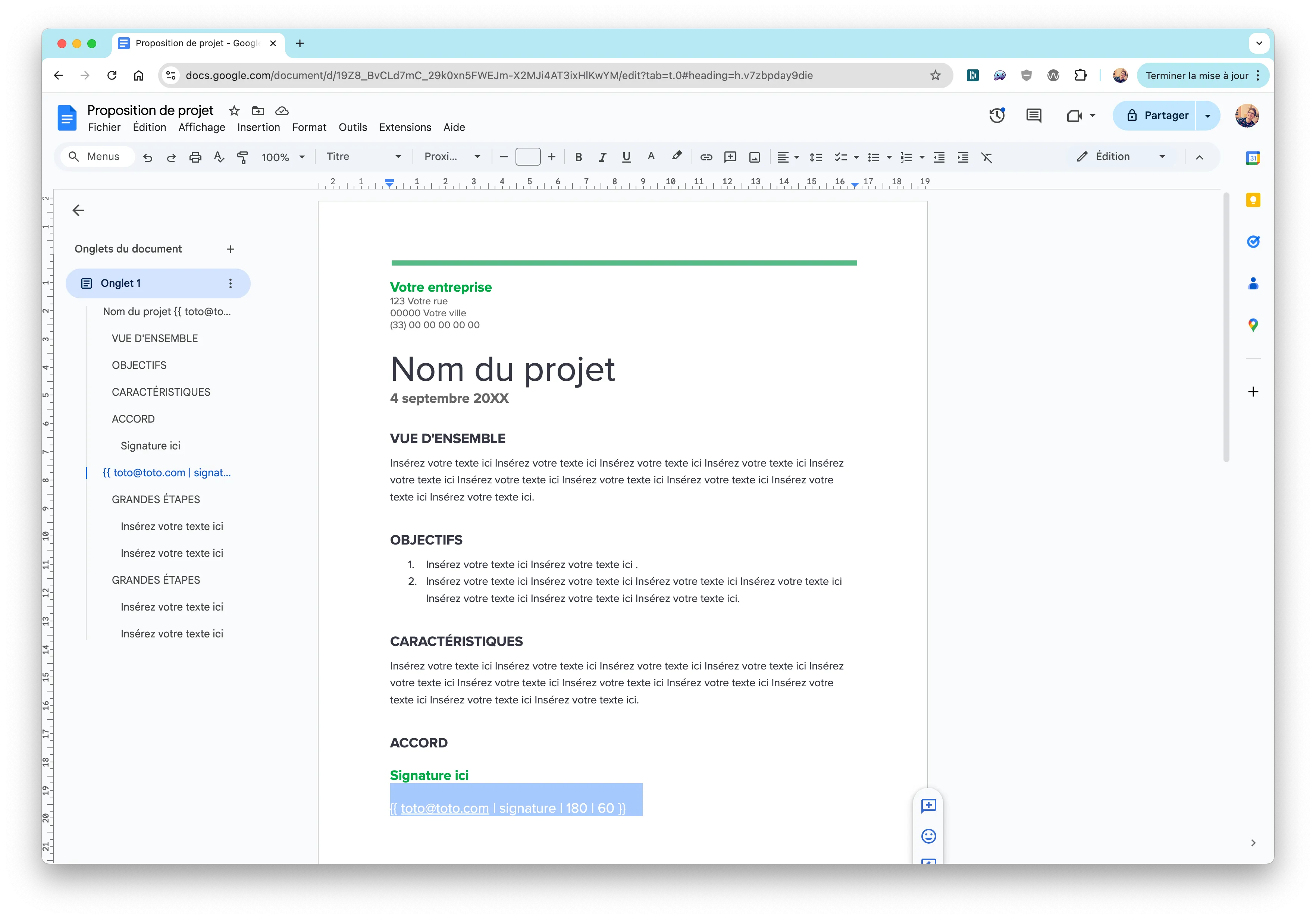
Smart Anchors are invisible placeholders you add directly to your PDF. When you upload the document to Subnoto, we automatically detect these placeholders and create signature blocks exactly where you placed them.
No manual positioning. No coordinate calculations. Just add the anchor text and you’re done.
How It Works
Here’s all you need to do:
- Open your document in any editor (Google Docs, Microsoft Word, LibreOffice, or a PDF editor)
- Type the Smart Anchor where you want the signature block to appear
- Make the text invisible by matching its color to the background
- Export or save as PDF
- Upload to Subnoto via the API
That’s it. Subnoto handles the rest automatically.
The Format
Smart Anchors follow a simple format:
{{ [email protected] | signature | 180 | 60 }}The email must match a contact or team member in your workspace. The numbers are width and height in PDF points. We recommend 180×60 for a standard signature block.
Why This Matters
Before Smart Anchors, placing signature fields required:
- Measuring exact positions on the page
- Converting measurements to PDF coordinates
- Making API calls with precise coordinates
- Testing and adjusting positions multiple times
Now you can:
- Place signatures visually in your document editor
- See exactly where they’ll appear
- Make changes instantly without touching code
- Test with our preview tool before uploading
This saves hours of work, especially when working with multiple documents or templates.
Testing Your Anchors
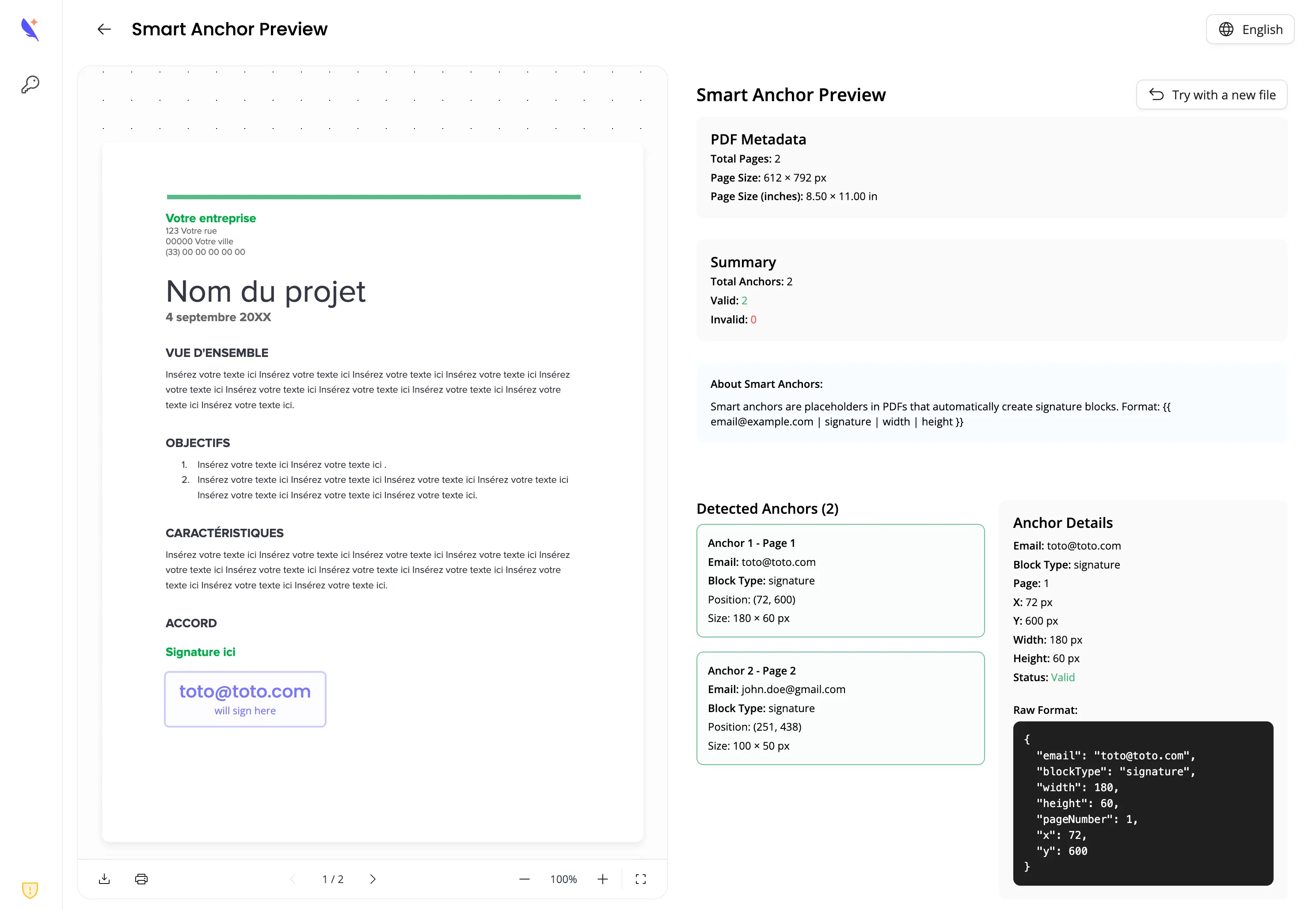
Before uploading your document, you can test Smart Anchors using our preview tool. It shows exactly where signature blocks will appear, so you can catch any issues early.
For Advanced Workflows
If you’re building document generation workflows, Subnoto integrates great with CarboneIO, a document generation API. You can create templates with signature placeholders and generate PDFs automatically.
Check out our CarboneIO integration guide to see how to combine document generation with Smart Anchors for a complete automated workflow.
Getting Started
Ready to try Smart Anchors? Head over to our documentation for step-by-step instructions, examples, and API details.
Smart Anchors make PDF signatures integration simpler than ever. Give them a try and see how much time you save.