
We’re excited to announce the Subnoto extension for Raycast. You can now send and manage documents for electronic signature in Subnoto without leaving your workflow: upload documents, browse workspaces, and open envelopes from your keyboard.
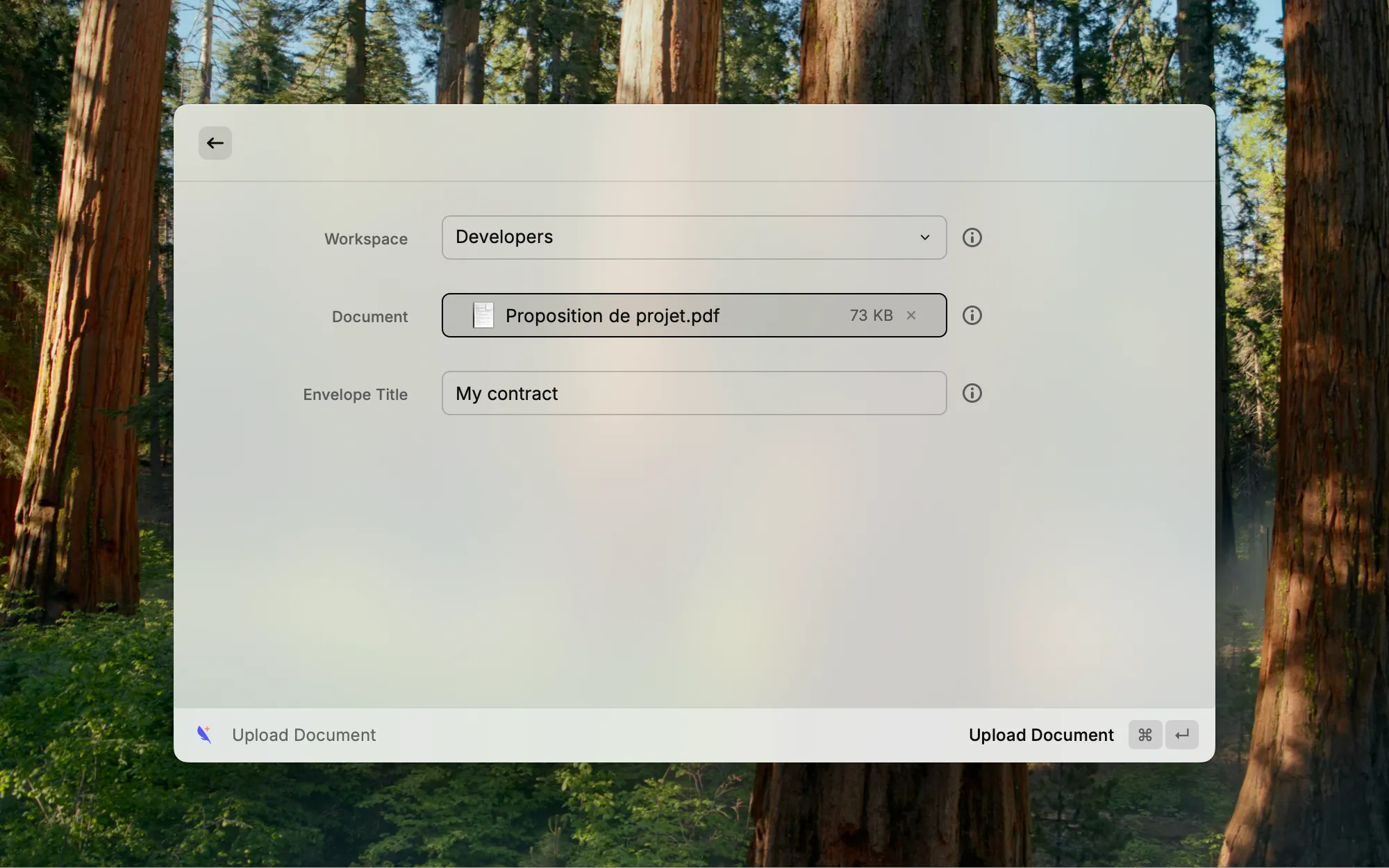
Upload Document
Upload a PDF or Word document to any Subnoto workspace in one step. Pick a workspace from the dropdown, choose your file, and optionally set a custom envelope title (or leave it blank to use the filename). After upload, the envelope edit page opens in your browser so you can add recipients and signature fields right away.
List Workspaces
See all your Subnoto workspaces with name and member count. Open a workspace in Subnoto or copy its UUID to the clipboard. Refresh the list without leaving the command.
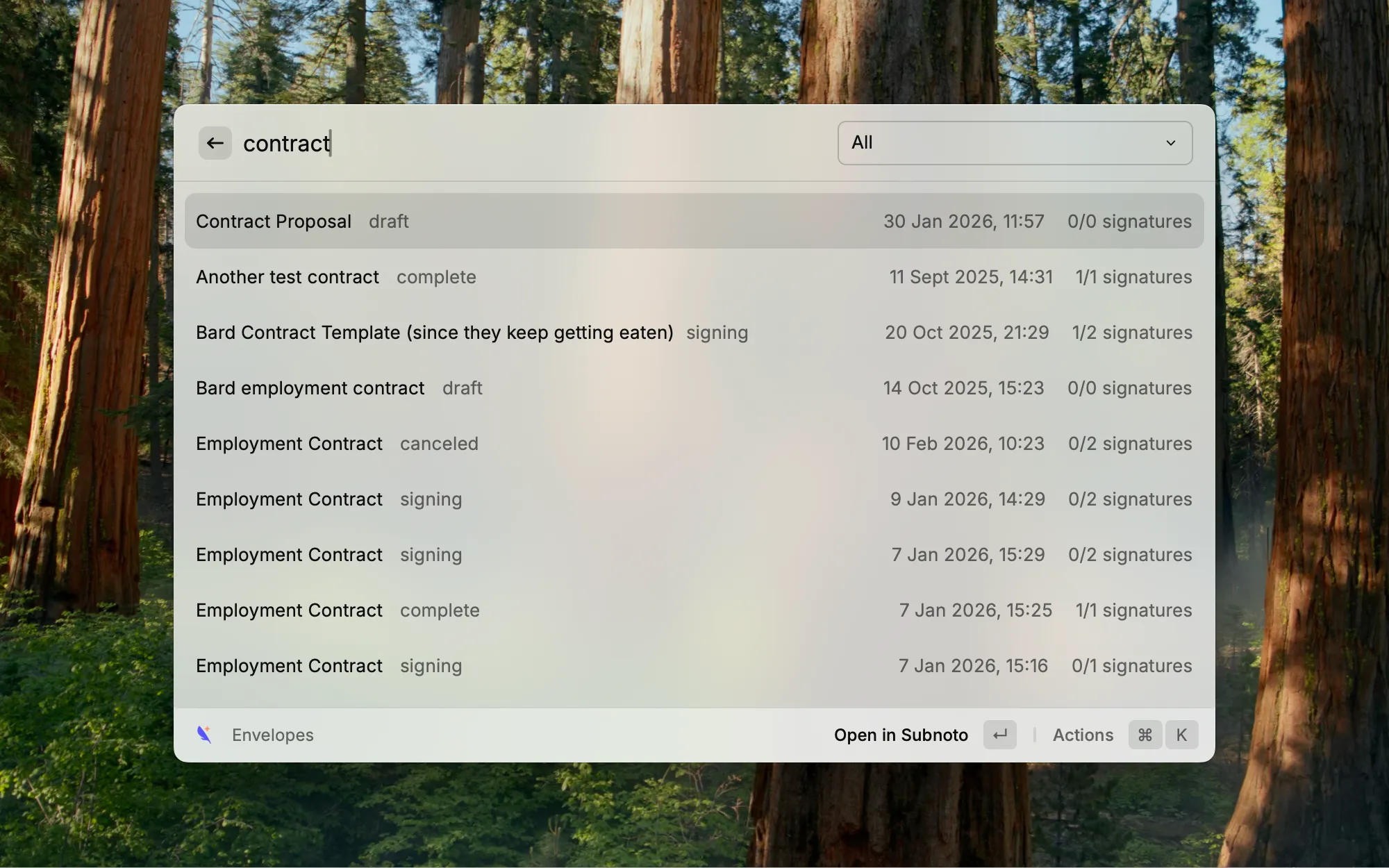
List Envelopes
Browse envelopes by workspace—or view all—using the dropdown. Search and paginate as you scroll. Each envelope shows title, status, last update, and signature progress (e.g. 2/3 signatures). Open an envelope in Subnoto or copy its UUID.
Setup
You need a Subnoto account with API access; sign up at subnoto.com if you don’t have one.
- Log in to your Subnoto dashboard and go to Settings → API Keys.
- Create a new API key pair (Access Key and Secret Key) and copy both.
- In Raycast, run any Subnoto command (e.g. Upload Document or List Workspaces).
- When prompted, enter your API Access Key and API Secret Key.
Supported file types: PDF (.pdf), Microsoft Word (.doc, .docx), OpenDocument Text (.odt), Rich Text Format (.rtf). Maximum file size: 50 MB.
Key Takeaways
- Upload documents to any workspace and open the envelope edit page in your browser in one flow.
- List workspaces and envelopes, search, and use quick actions (open in Subnoto or copy UUID).
- Configure once with your Subnoto API keys in the extension preferences.
Conclusion
The Subnoto Raycast extension keeps your signing workflow inside the tools you already use. Try it from the Raycast Store, and see Subnoto’s documentation and TypeScript SDK for more.